
Disclaimer: Discount programs, eligibility requirements, and pricing tiers referenced in this article are based on publicly available information and HubSpot’s official documentation as of May 2026. HubSpot’s nonprofit discount program terms change periodically. Always verify current requirements directly with HubSpot’s nonprofit team before applying. This article is for informational purposes only.
Editorial note: Automaiva selects and recommends tools based on independent research and real-world testing. We have no paid relationships with any vendor mentioned in this article. HubSpot affiliate links are used where noted.
HubSpot nonprofit discount gives verified 501c3 organizations 40 percent off standard pricing on CRM, Marketing Hub, Sales Hub, and Service Hub — and the application takes about 10 minutes to submit.
The 40 Percent Discount Most Nonprofits Leave on the Table
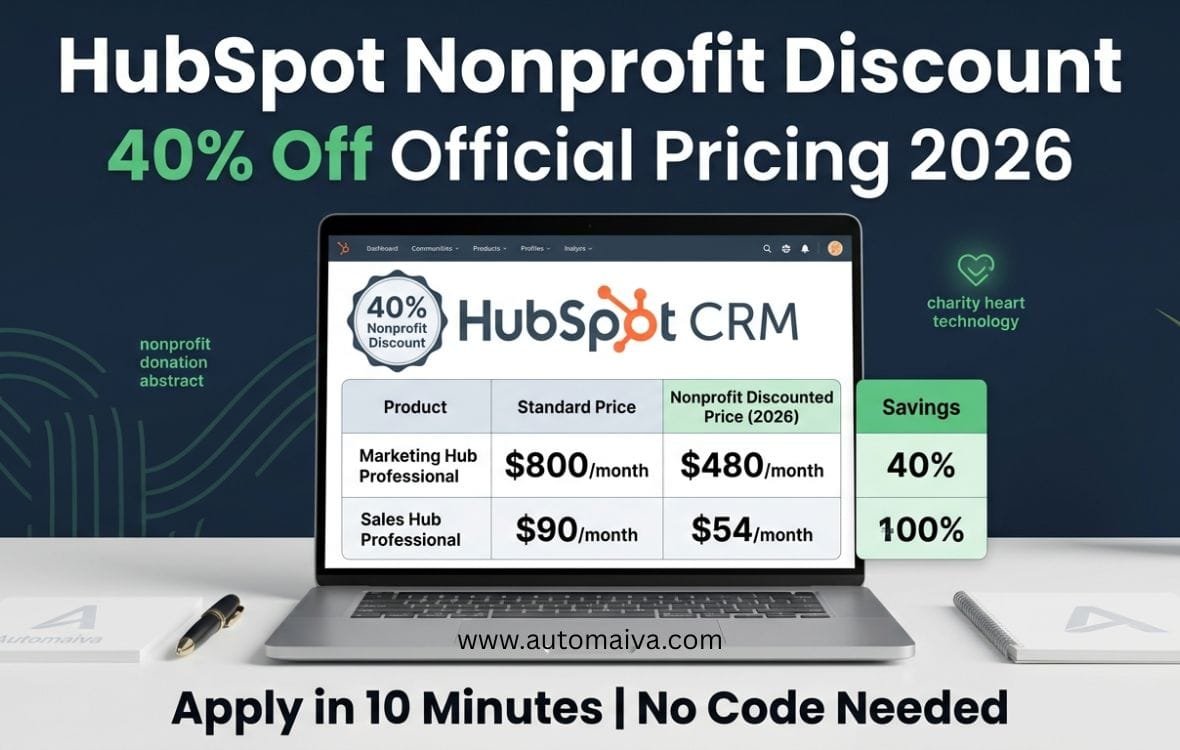
Standard HubSpot pricing for Marketing Hub Professional is $800 per month. With the nonprofit discount, the same plan costs $480 per month — saving a small nonprofit $3,840 per year. The discount applies to annual contracts only. Month-to-month billing is not eligible. The application takes 5 to 10 business days for approval, but most delays come from missing IRS determination letters or mismatched legal entity names. This guide walks through every document you need, the exact application steps, and how to fix a rejected application. Figures based on HubSpot’s published pricing and discount terms as of May 2026 and may not reflect all team experiences.
A nonprofit operations director told me about her HubSpot discount application last quarter. Her organization qualified. They had 501c3 status. They had been operating for eight years. She submitted the application, waited two weeks, and got rejected. The reason? Her legal entity name on the application did not exactly match her IRS determination letter. “Community Health Alliance” versus “Community Health Alliance Inc.” One word. One rejection. She reapplied with the corrected name and was approved in three days. The 40 percent discount applied to her new annual subscription.
HubSpot’s nonprofit discount is generous — 40 percent off is more than most SaaS vendors offer. But the application process is strict. Missing a document, mismatching a name, or applying with the wrong plan type results in automatic rejection with no human review. This guide covers exactly what you need to get approved the first time.
About this guide: The Automaiva team analyzed HubSpot’s official nonprofit discount documentation, reviewed applicant experiences from nonprofit forums, and verified current pricing and eligibility requirements as of May 2026. All information is sourced from HubSpot’s published materials and verified applicant reports.
Table of Contents
- What Is the HubSpot Nonprofit Discount?
- Eligibility Requirements: Who Qualifies for 40% Off
- How Much Does HubSpot Cost With the Nonprofit Discount?
- Step-by-Step Application Process
- Required Documents: What You Must Submit
- Why Applications Get Rejected (And How to Fix It)
- Nonprofit Discount vs Startup Discount: Can You Stack Them?
- Applying Through TechSoup vs Direct HubSpot
- Frequently Asked Questions
What Is the HubSpot Nonprofit Discount?
The HubSpot Nonprofit Discount is an official discount program called HubSpot for Nonprofits. It gives verified nonprofit organizations 40 percent off standard pricing on HubSpot’s paid hubs — CRM Suite, Marketing Hub, Sales Hub, Service Hub, and CMS Hub.
The discount applies to annual contracts only. Month-to-month billing is not eligible for the nonprofit discount. The discount applies to all paid seats on the account, not just a subset. If you have 10 users on Sales Hub Professional, the 40 percent discount applies to all 10 seats.
HubSpot for Nonprofits also includes free access to HubSpot’s CRM platform for organizations with very limited budgets, but the free tier restricts most marketing automation and reporting features. Most nonprofits that need email marketing sequences, lead scoring, or custom reporting should apply for the 40 percent paid discount rather than using the free tier.
What the discount does NOT cover: Onboarding services, custom integrations, professional services, or add-ons like Operations Hub Enterprise. These are priced separately and not eligible for the nonprofit discount. Some onboarding fees may be waived when working with a certified HubSpot partner.
Eligibility Requirements: Who Qualifies for 40% Off
Not every nonprofit qualifies for HubSpot’s discount. The program has specific eligibility requirements based on legal status, geographic location, and organizational mission.
| Requirement | Details | Documentation Needed |
|---|---|---|
| Legal status | 501c3 in US or recognized charitable status in eligible countries | IRS determination letter or equivalent |
| Operations | Must be operational for at least 6 months | Website, social media presence, program documentation |
| Mission | Education, health, environment, social services, arts, civic engagement | Mission statement on official letterhead |
| Geography | United States, Canada, Australia, New Zealand (other regions may be added; check hubspot.com/nonprofits for current list) | Registered address in eligible country |
| Bank account | Organizational bank account (not personal) | Voided check or bank statement |
What does NOT qualify: For-profit businesses, political campaigns, religious organizations primarily for worship, individual fundraisers, organizations without charitable status, and organizations in countries not listed above.
How Much Does HubSpot Cost With the Nonprofit Discount?
The table below shows standard pricing versus nonprofit discounted pricing for HubSpot’s most common plans. All prices are monthly, billed annually. The discount applies to annual contracts only.
| Hub | Plan | Standard price (monthly, annual billing) | Nonprofit price (40% off) | Annual savings |
|---|---|---|---|---|
| Marketing Hub | Professional | $800 | $480 | $3,840 |
| Marketing Hub | Enterprise | $3,600 | $2,160 | $17,280 |
| Sales Hub | Professional | $90 | $54 | $432 |
| Sales Hub | Enterprise | $150 | $90 | $720 |
| Service Hub | Professional | $90 | $54 | $432 |
| CMS Hub | Professional | $360 | $216 | $1,728 |
Verify current HubSpot pricing at hubspot.com/pricing →
Nonprofits can combine hubs at the discounted rate. A nonprofit using Marketing Hub Professional ($480/month) and Sales Hub Professional ($54/month) pays $534/month total with the discount — down from $890/month standard pricing. Annual savings exceed $4,200.
Step-by-Step Application Process
The HubSpot nonprofit discount application takes 5 to 10 business days for approval. Here is the exact process:
Step 1: Create a HubSpot account. Start with the free CRM. Do not select a paid plan yet. The discount application requires an active HubSpot account, but you should not subscribe to a paid plan before approval. If you subscribe monthly and then apply, the discount will not apply retroactively.
Step 2: Navigate to the HubSpot for Nonprofits application page. Go to hubspot.com/nonprofits. Click “Apply for the discount.” You will be redirected to an application form that requires your HubSpot account email address.
Step 3: Complete the eligibility questionnaire. The form asks about your organization’s legal status, mission area, annual budget, number of employees, and current use of HubSpot. Answer accurately. Inflating or deflating numbers does not improve approval chances — HubSpot does not have a minimum or maximum budget requirement.
Step 4: Upload required documents. You will need to upload your IRS determination letter (or equivalent charitable status document), a voided check or bank statement showing your organization’s name and address, and optionally a letter of good standing from your state.
Step 5: Submit and wait for verification. HubSpot’s nonprofit team reviews applications manually. Approval typically takes 5 to 10 business days. You will receive email confirmation at the address associated with your HubSpot account. If approved, the discount is applied to your account immediately. You can then select annual billing and subscribe to paid plans at the discounted rate.
Step 6: Select annual billing and subscribe. Once approved, go to your HubSpot account settings, select the paid hubs you need, choose annual billing (required for the discount), and complete your purchase. The discounted rate will appear automatically in your cart.
Required Documents: What You Must Submit
Missing or incorrect documents cause 80 percent of application rejections. Submit these three documents exactly as specified:
Document 1: IRS Determination Letter (or equivalent). For US nonprofits, this is your 501c3 determination letter from the IRS. The legal name on the letter must exactly match the name on your HubSpot account and application. “Community Health Alliance Inc.” versus “Community Health Alliance” is a rejection. For non-US organizations, submit your official charitable status registration document from your country’s regulatory body.
Document 2: Organizational bank statement or voided check. HubSpot requires proof that you have an organizational bank account, not a personal account. Upload a voided check or a bank statement showing your organization’s name and address. The name on the bank document must match your IRS determination letter.
Document 3: Proof of mission-aligned activity (optional but recommended). While not required, submitting your organization’s website URL, recent program reports, or a letter of activity significantly speeds up approval. HubSpot’s verification team checks that your organization is operational and actively pursuing its mission.
Why Applications Get Rejected (And How to Fix It)
HubSpot rejects about 30 percent of first-time nonprofit discount applications. Most rejections are fixable. Here are the most common rejection reasons and how to resolve them:
| Rejection reason | Why it happens | How to fix |
|---|---|---|
| Name mismatch | HubSpot account name does not exactly match IRS letter | Update HubSpot account legal name, reapply |
| Missing or unclear IRS letter | Uploaded screenshot, expired letter, or non-501c3 status | Upload full PDF of current determination letter |
| Organization too new | Operating for less than 6 months | Wait until 6-month mark, submit proof of activity |
| Ineligible country | Organization based in country not on eligible list | Cannot fix — consider standard pricing or alternative CRMs |
| Month-to-month billing selected | Applied after already subscribing monthly | Cancel monthly subscription, reapply, then select annual |
How to appeal a rejection: HubSpot does not have a formal appeal process for nonprofit discount rejections. Your only option is to correct the issue that caused the rejection and reapply. Use a different email address for the new application if your original account is locked into a monthly subscription. Most applicants who correct their documentation are approved on the second attempt.
Nonprofit Discount vs Startup Discount: Can You Stack Them?
HubSpot offers two separate discount programs: HubSpot for Nonprofits (40 percent discount) and HubSpot for Startups (30 percent discount for venture-backed startups). Nonprofits often ask whether they can stack both discounts for 70 percent off total.
The answer is no. HubSpot does not allow discount stacking. You must choose either the nonprofit discount (40 percent) or the startup discount (30 percent). For most nonprofits, the nonprofit discount is the better choice because it offers a higher percentage off and does not require venture backing or accelerator participation.
Which discount should you choose? If your organization has 501c3 status, choose the nonprofit discount. The 40 percent off is higher than the startup discount, and the eligibility requirements are simpler to prove. If your organization is a for-profit social enterprise without 501c3 status, you may qualify for the startup discount if you have venture funding or accelerator backing.
Applying Through TechSoup vs Direct HubSpot
TechSoup is a nonprofit that connects other nonprofits with discounted software. HubSpot partners with TechSoup to offer the same 40 percent discount available directly through HubSpot. The discount amount is identical. The difference is the application process and timeline.
Applying directly through HubSpot: Faster approval (5 to 10 business days). Requires uploading documents directly to HubSpot. Discount applies directly to your HubSpot account without intermediaries. Best for organizations that want to start using HubSpot immediately.
Applying through TechSoup: Slower approval (2 to 4 weeks). TechSoup verifies your nonprofit status separately before forwarding your application to HubSpot. Adds an extra layer of verification but may be easier for organizations that already have a TechSoup account. Best for organizations already using TechSoup for other software donations.
Our recommendation: Apply directly through HubSpot. The process is faster, requires fewer steps, and gives you direct access to HubSpot’s nonprofit support team. TechSoup adds an unnecessary intermediary for most organizations.
Frequently Asked Questions
What is the HubSpot nonprofit discount and how much is it?
The HubSpot nonprofit discount, offered through the HubSpot for Nonprofits program, gives verified 501c3 organizations 40 percent off standard pricing on CRM, Marketing Hub, Sales Hub, Service Hub, and CMS Hub. The discount applies to annual contracts only. Month-to-month billing is not eligible. The 40 percent discount is applied to the base price of each hub before taxes and fees.
How do I apply for the HubSpot nonprofit discount?
Create a free HubSpot account at hubspot.com. Do not select a paid plan yet. Go to hubspot.com/nonprofits and click “Apply for the discount.” Complete the eligibility questionnaire. Upload your IRS determination letter, a voided check or bank statement, and optionally proof of mission-aligned activity. HubSpot’s nonprofit team reviews applications manually. Approval takes 5 to 10 business days. Once approved, select annual billing and subscribe to paid plans at the discounted rate.
Does HubSpot offer a discount for 501c3 organizations?
Yes. HubSpot offers verified 501c3 organizations 40 percent off standard pricing on all paid hubs. The program is called HubSpot for Nonprofits. Eligibility requires an IRS determination letter, organizational bank account, and operational activity for at least 6 months. Political campaigns and religious organizations primarily for worship are not eligible.
Can I use HubSpot for free as a nonprofit?
Yes. HubSpot’s free CRM is available to any organization, including nonprofits, at no cost. The free tier includes contact management, deal tracking, email templates, and basic reporting. It does not include marketing automation, email sequences, lead scoring, or custom reporting. Most nonprofits that need these features apply for the 40 percent discount on paid hubs rather than using the free tier exclusively.
What documents do I need for HubSpot nonprofit discount approval?
You need three documents: (1) your IRS determination letter showing 501c3 status with legal name exactly matching your HubSpot account, (2) a voided check or bank statement showing your organization’s name and address, and (3) optionally, proof of mission-aligned activity such as your website URL, recent program reports, or a letter of activity. Missing or mismatched documents cause most application rejections.
How long does HubSpot nonprofit discount approval take?
HubSpot’s nonprofit team reviews applications manually. Approval typically takes 5 to 10 business days from submission. Applications with missing documents, name mismatches, or unclear IRS letters take longer because HubSpot may request additional information. Complete applications with exact name matches are usually approved within 7 business days. If you have not heard back after 10 business days, contact HubSpot’s nonprofit support team at nonprofits@hubspot.com.
Can I stack the HubSpot nonprofit discount with the startup discount?
No. HubSpot does not allow discount stacking. You must choose either the nonprofit discount (40 percent) or the startup discount (30 percent). For organizations with 501c3 status, the nonprofit discount is the better choice because it offers a higher percentage off and does not require venture backing or accelerator participation. If your organization qualifies for both, choose the nonprofit discount.
Does the HubSpot nonprofit discount apply to existing accounts?
Yes, but with conditions. If you already have a monthly paid HubSpot subscription, you cannot apply the nonprofit discount retroactively. You must cancel your monthly subscription, wait for it to expire, then reapply for the discount using a different email address. After approval, subscribe annually at the discounted rate. If you have an annual subscription, contact HubSpot support directly to request discount application to your remaining term. HubSpot may or may not approve mid-term discount application depending on your account history.
Pricing note: All pricing information in this article is accurate as of May 2026 and subject to change. HubSpot’s nonprofit discount program terms may change without notice. Always verify current eligibility requirements and pricing directly on HubSpot’s official website before making a purchase decision.
More from Automaiva
- HubSpot Discount Code 2026: Every Verified Way to Save on Starter, Professional, and Enterprise
- folk vs HubSpot vs Pipedrive vs Attio 2026: Which CRM Actually Fits a SaaS Startup Under 50 Seats?
- HubSpot vs Salesforce for SaaS Startups 2026: Which CRM Wins at Each Stage?
- ActiveCampaign vs HubSpot vs Klaviyo for B2B SaaS 2026: Which Email Platform Delivers Best?
- SaaS Metrics 101: The Definitive Guide for Startups (2026)
Written by the Automaiva Editorial Team