
Disclaimer: Platform capabilities, pricing tiers, and detection accuracy referenced in this article are based on publicly available information and user-reported data as of May 2026. Shadow IT detection accuracy varies significantly by environment and user behavior. Always test detection rules in a staging environment before enforcing automated access revocation. This article is for informational purposes only and does not constitute professional security advice.
Editorial note: Automaiva selects and recommends tools based on independent research and real-world testing. We have no paid relationships with any vendor mentioned in this article.
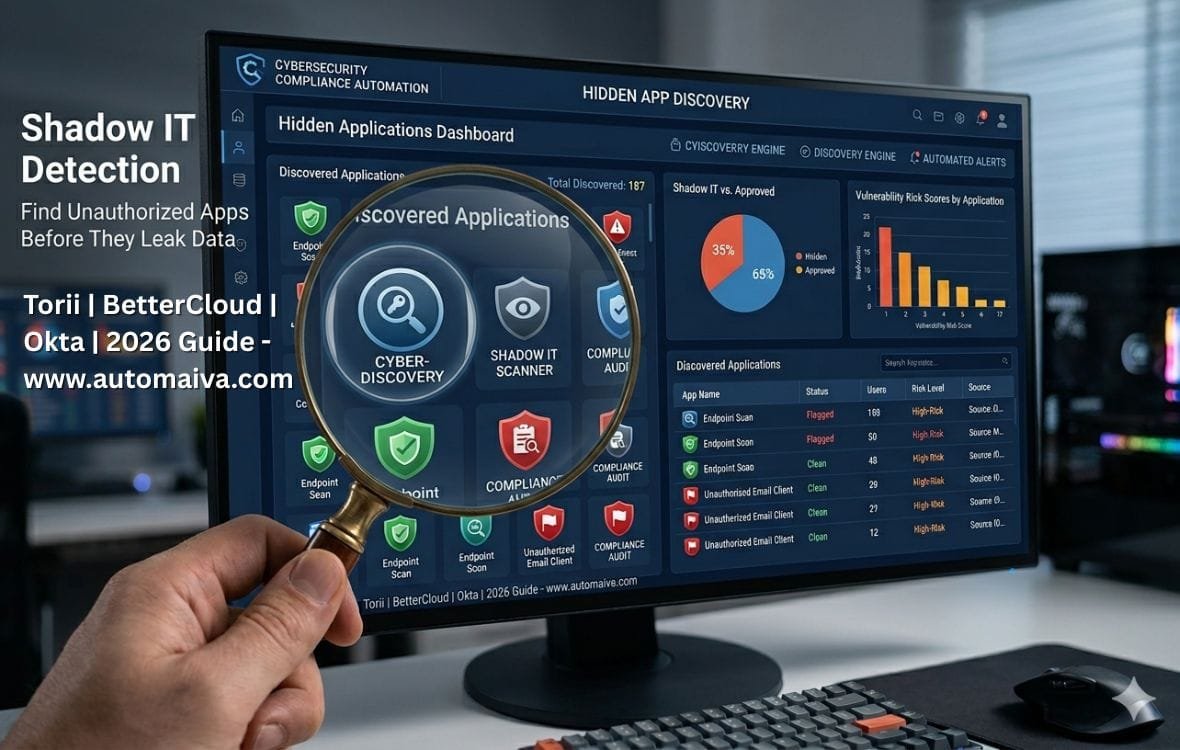
Shadow IT detection for SaaS teams is the operational gap where unauthorized apps hide in plain sight — and most teams discover them only when the invoice arrives or the data leaks.
The Apps You Do Not Know Are Costing You
The average employee uses 3 to 5 times more SaaS applications than the IT team has approved. Marketing signs up for a project management tool no one else uses. Sales subscribes to a prospecting platform that syncs customer data. Engineering tests an AI coding assistant with access to your source code. Each unknown app is a security risk, a compliance violation, and a budget leak. Most teams discover these apps only during an audit or after a security event. This guide builds the detection automation that finds them weekly — using Okta logs for zero-cost discovery, Torii for automated SaaS management, and BetterCloud for policy-driven access control. Figures based on aggregated industry research and user-reported data and may not reflect all team experiences.
A RevOps lead at a 50-person SaaS company told me about their shadow IT discovery last quarter. Their Okta dashboard showed 38 integrated applications. Their finance department’s SaaS spend report showed 52 subscription invoices. Their engineering team’s actual tools? Over 80 unique SaaS apps. The gap between approved apps, paid apps, and actually-used apps was so wide that no one knew which customer data was going where. When they finally ran a proper shadow IT audit, they found a discontinued analytics tool that still had active API access to their production database — six months after the contract ended. The API key was still valid. Nobody knew.
Shadow IT is not a user behavior problem. It is a visibility problem. Users sign up for tools because approved tools do not solve their immediate need. Your job as a RevOps or IT lead is not to block every new tool — it is to know which tools are being used, assess their risk, and automate the process of approving safe ones while revoking dangerous ones. This guide builds the detection and response workflow that makes this possible at three budget levels: zero cost (Okta logs), mid-tier (Torii or BetterCloud), and growth-stage (Zylo).
About this guide: The Automaiva team analyzed shadow IT detection workflows from B2B SaaS companies at seed through Series B, identifying the tools that actually fit sub-200 employee teams and the automation patterns that reduce mean time to remediation from weeks to hours. All platform capabilities and pricing are sourced from vendor documentation as of May 2026.
Table of Contents
- Why Shadow IT Detection Is a Visibility Problem, Not a User Problem
- Okta Logs — Zero-Cost DIY Shadow IT Detection (For Bootstrapped Teams)
- Torii — Best for Automated SaaS Discovery and Workflow Automation
- BetterCloud — Best for Policy-Driven Access Control and Offboarding Automation
- Zylo — Best for Enterprise-Grade SaaS Management (Growth Stage Mention)
- Step-by-Step: Building Your Shadow IT Detection Workflow
- Risk Scoring: Which Apps to Block vs Which Apps to Approve
- Automated Remediation: Revoking Access Without Breaking Workflows
- Frequently Asked Questions
Why Shadow IT Detection Is a Visibility Problem, Not a User Problem
Shadow IT detection fails when teams treat it as a user compliance issue. Sending a company-wide email reminding employees not to sign up for unapproved apps does not work. Users will always adopt tools that make their jobs easier, and they will do it without asking permission because asking permission takes too long.
The effective approach treats shadow IT as a data problem. Your identity provider logs already show every app users authenticate to. Your finance system already knows every SaaS subscription invoice. The work is not collecting more data — it is connecting these sources and writing the rules that turn raw logs into actionable alerts.
The three questions every shadow IT detection system must answer: Which SaaS apps are employees using? Which of those apps are not in your approved application list? And which users are generating the most risk? Answer these three questions weekly, and you will catch shadow IT before it becomes a breach.
Okta Logs — Zero-Cost DIY Shadow IT Detection (For Bootstrapped Teams)
Okta logs are the best zero-cost shadow IT detection tool for bootstrapped SaaS teams because every Okta customer — even on the free tier — has access to System Logs that show every application a user authenticates to, including the exact timestamp, app name, and user identity.
✓ Okta Logs — What works well
- Zero additional cost — included in every Okta plan
- Shows every app users authenticate to via SSO, even unsanctioned ones
- API-accessible for automation — pull logs into Google Sheets, Slack, or your data warehouse
- 7-day retention on free tier, 90-day on paid, 1-year on Enterprise
- Native user identity mapping — no guessing which employee is using which app
- Can export to CSV for manual review in 10 minutes per week
✗ Okta Logs — Limitations to know
- Only shows apps that use SSO — misses apps users sign up for with personal email or Google OAuth
- No native risk scoring — you have to manually assess each app
- No automated remediation — you have to manually revoke access
- No cost visibility — Okta logs show app usage, not subscription spend
- Requires manual work to compare against approved app list
How to use Okta logs for DIY shadow IT detection (10 minutes per week):
Step 1: Go to Reports > System Logs in your Okta admin dashboard.
Step 2: Filter by Event Type “user.authentication.sso” to see every SSO login.
Step 3: Export the last 7 days of logs to CSV.
Step 4: Extract unique app names from the “Target” column.
Step 5: Compare against your approved application list.
Step 6: Any app not on the approved list is shadow IT requiring investigation.
Best for: Bootstrapped startups with 0 to 5 employees and no budget for dedicated SaaS management tools. Teams already using Okta for SSO who want to start shadow IT detection today without spending a dollar.
Avoid if: You have more than 50 employees — the manual review becomes overwhelming. You need automated remediation. You need to detect apps that do not use SSO.
Torii — Best for Automated SaaS Discovery and Workflow Automation
Torii is the best shadow IT detection tool for SaaS teams between 20 and 200 employees because it automatically discovers all SaaS apps in your environment — including those that do not use SSO — by aggregating data from finance systems, browser extensions, network logs, and employee surveys into a single unified SaaS management platform.
✓ Torii — What works well
- Automatically discovers shadow IT via 5 data sources: Okta/SSO logs, finance system (Expensify, Ramp, Brex), browser extensions, network logs, and optional employee surveys
- Pre-built shadow IT dashboard shows every unapproved app, user count, and risk score out of the box
- Automated workflows can notify app owners, open tickets in Jira/Asana, or revoke access via Okta API
- Native cost tracking — shows subscription spend per app, including monthly and annual commitments
- Self-serve implementation — most teams are live and discovering shadow IT within a day
- Pricing starts at $5 per user per month for core features, with volume discounts
✗ Torii — Limitations to know
- Discovery depends on data source coverage — if an app is not visible in any integrated source, Torii may miss it
- Risk scoring is based on Torii’s proprietary model — you cannot fully customize risk weights
- No native offboarding automation — you need to pair with Okta for access revocation
- Pricing is per user, which becomes expensive for large teams (100+ users = $6,000+ per year)
- Less mature policy engine than BetterCloud for complex conditional rules
Best for: Growing SaaS teams (20 to 200 employees) that need automated discovery across multiple data sources and workflow automation for shadow IT remediation. Teams that want a single pane of glass for SaaS management including cost tracking, usage analytics, and compliance reporting.
Avoid if: You have fewer than 20 employees — the cost may not be justified. You need complex conditional policies with multiple if/then/else logic. Your primary concern is automated offboarding (BetterCloud is stronger for that specific use case).
BetterCloud — Best for Policy-Driven Access Control and Offboarding Automation
BetterCloud is the best shadow IT detection tool for SaaS teams that prioritize policy-driven access control because its Workflow Studio allows you to build complex conditional rules that automatically detect shadow IT, notify stakeholders, and revoke access based on app category, user role, or risk score.
✓ BetterCloud — What works well
- Policy-driven discovery — create automated rules that flag any new app in certain categories (file sharing, AI tools) as shadow IT immediately
- Workflow Studio supports complex conditional logic (if/then/else, nested conditions, multi-step approvals)
- Native offboarding automation — automatically revoke access to all apps when an employee leaves, including unsanctioned shadow IT apps discovered via audit logs
- Integrates with Okta, Google Workspace, Microsoft 365, Slack, Zoom, and 50-plus other SaaS apps
- Pre-built policy templates for common shadow IT categories (file sharing, collaboration, development tools)
- Audit-ready reporting shows every policy action taken for compliance (SOC 2, ISO 27001)
✗ BetterCloud — Limitations to know
- More expensive than Torii — pricing is quote-based and typically starts around $10-$15 per user per month
- Discovery is primarily SSO-centric — better for detecting apps that use corporate SSO, weaker for shadow IT that uses personal email
- Implementation requires more configuration than Torii — plan for 2 to 4 weeks to fully tune policies
- No native cost tracking — BetterCloud focuses on access control, not subscription spend management
- Best for teams that already have mature IT processes, less suitable for early-stage startups
Best for: Established SaaS teams (50 to 200 employees) with a dedicated IT or RevOps lead who can build and maintain complex policies. Teams where automated access revocation is a priority over cost tracking. Organizations that need audit-ready compliance reporting for SOC 2 or ISO 27001.
Avoid if: You have fewer than 50 employees — the cost and complexity may not be justified. You need native cost tracking and subscription spend management. Your team lacks the headcount to configure and maintain complex policies.
Zylo — Best for Enterprise-Grade SaaS Management (Growth Stage Mention)
Zylo is an enterprise-grade SaaS management platform that focuses primarily on subscription spend optimization and contract management, with secondary capabilities for shadow IT discovery. It is mentioned here for growth-stage teams (200+ employees) that have outgrown Torii or BetterCloud and need deeper financial governance.
What Zylo does well: Best-in-class subscription discovery via direct integrations with finance systems (NetSuite, Coupa, SAP Concur) and credit card processors (Brex, Ramp, Amex). Automated contract management and renewal tracking. Benchmarking against anonymized peer data to identify overpriced subscriptions. Detailed spend analytics for finance teams.
Where Zylo falls short for SMB: Enterprise pricing (typically $30,000+ annually). Implementation takes 8 to 12 weeks. Shadow IT detection is secondary to spend management. Requires dedicated procurement or finance team to fully utilize.
Best for: SaaS companies at Series B and beyond (200+ employees) where SaaS spend exceeds $500,000 annually and contract management complexity justifies enterprise tooling. Not recommended for teams under 200 employees.
Step-by-Step: Building Your Shadow IT Detection Workflow
The implementation below covers three budget levels: zero-cost DIY using Okta logs, mid-tier using Torii, and policy-driven using BetterCloud.
Zero-Cost Workflow (Okta Logs DIY):
Step 1: Export Okta System Logs (Events > user.authentication.sso) for the last 7 days to CSV.
Step 2: Extract unique app names from the “Target” column using Excel or Google Sheets UNIQUE() formula.
Step 3: Maintain an Approved Apps list in Google Sheets. Use VLOOKUP to compare discovered apps against approved list.
Step 4: Apps not found in approved list are shadow IT. Flag them for manual review.
Step 5: For each flagged app, determine if it should be approved (add to list) or blocked (revoke access via Okta admin).
Step 6: Run this workflow weekly. Total time: 10 to 20 minutes per week.
Mid-Tier Workflow (Torii Automation):
Step 1: Connect Torii to Okta (SSO logs), finance system (Expensify or Brex), and optionally browser extension data.
Step 2: Torii automatically discovers every SaaS app across all data sources and builds a shadow IT dashboard.
Step 3: Set up automation rule: When new app discovered, check if in Approved Apps list. If not, create Jira/Asana ticket for security review and Slack notification to #shadow-it channel.
Step 4: Security lead reviews ticket within 48 hours and marks app as Approved or Blocked.
Step 5: If Blocked, Torii triggers Okta API to revoke SSO access for that app for all users.
Step 6: Run continuously. Total time: 1 to 2 hours per week for review and policy tuning.
Policy-Driven Workflow (BetterCloud):
Step 1: Connect BetterCloud to Okta, Google Workspace or Microsoft 365, and your HRIS (Rippling, BambooHR, Gusto).
Step 2: Build policy: When new app is added to Okta, check app category. If category is “File Sharing” or “AI Tools” and app is not in Approved list, flag as High Risk shadow IT.
Step 3: Configure automated remediation for High Risk: Send Slack alert to IT lead. If no response within 24 hours, automatically revoke Okta access for that app for all non-executive users.
Step 4: Build second policy for offboarding: When employee status changes to Terminated in HRIS, automatically revoke access to all apps (including shadow IT discovered via audit logs).
Step 5: Run continuously. Total time: 2 to 4 hours per week for policy tuning and exception handling.
Risk Scoring: Which Apps to Block vs Which Apps to Approve
Not every unsanctioned app is a security risk. Your detection system will flag both critical risk apps and benign productivity tools. The risk scoring model below helps you distinguish between the two.
| Risk factor | High risk (block now) | Medium risk (investigate) | Low risk (watchlist) |
|---|---|---|---|
| Data handling | File sharing (Dropbox, WeTransfer), AI coding assistants with code access | Survey tools, form builders, analytics platforms | Calendar schedulers, note-taking, PDF editors |
| User count | 5+ users (team-wide adoption) | 2 to 4 users (team adoption) | 1 user (individual productivity tool) |
| Data residency | Hosted outside your legal jurisdiction without disclosure | Hosted in EU for US company (GDPR implications) | Hosted in same region as your primary operations |
| Breach history | Known breach in last 12 months | Breach 12+ months ago, resolved | No known breach history |
Block immediately: File sharing apps used for customer data. AI coding assistants with code repository access that are not pre-approved. Any app hosting data outside your legal jurisdiction without a data processing agreement.
Investigate within 30 days: Marketing automation tools used by a single team. Analytics platforms that receive anonymized usage data. Survey tools that collect non-sensitive customer feedback.
Watchlist (no action required): Calendar schedulers (Calendly, Chili Piper). Note-taking apps (Notion personal workspaces). PDF editors used for non-sensitive documents.
Automated Remediation: Revoking Access Without Breaking Workflows
Blocking an unsanctioned app at the SSO layer is fast but incomplete. Users will find workarounds — using personal email addresses, mobile data, or API access. Effective remediation requires a layered approach.
Layer 1: SSO access revocation (immediate, for apps using corporate SSO). If the shadow IT app supports SSO and users authenticated via Okta, revoke the Okta assignment for that app. This stops SSO-based login immediately. Users who signed up with personal email addresses will still have access — you need Layer 2 and Layer 3 for them.
Layer 2: Email domain block (within 24 hours). For apps that allow signup with corporate email without SSO, implement an email domain block in your email gateway (Google Workspace or Microsoft 365) that prevents users from receiving emails from that app’s domain. This does not block access but makes it harder for users to continue using the app without receiving notifications.
Layer 3: User communication (within 48 hours). Send a targeted email to users who accessed the unsanctioned app informing them that the app has been blocked for security or compliance reasons. Provide a clear alternative from your approved application list. Include a process for requesting exceptions if the app is genuinely required. Users who receive an explanation and an alternative are less likely to find workarounds.
Automation pattern for remediation in Torii or BetterCloud: Create a workflow that automatically opens a ticket in Jira or Asana for each newly detected high-risk shadow IT app. The ticket includes the app name, risk score, affected users, and recommended block action. Assign the ticket to the security lead. When the ticket is closed, trigger an automated email to affected users explaining the block and providing an approved alternative. This pattern ensures no detected shadow IT falls through the cracks.
Frequently Asked Questions
What is shadow IT detection for SaaS teams?
Shadow IT detection is the process of identifying software, applications, or cloud services used within an organization without explicit IT approval or governance. For SaaS teams, this includes unsanctioned apps that employees sign up for using corporate email, as well as apps that integrate with your SSO provider or access your data via API. Detection typically uses logs from your identity provider (Okta), finance system, network proxy, or dedicated SaaS management platforms like Torii or BetterCloud.
How do I detect shadow IT without spending money?
Use Okta System Logs (included free with any Okta plan). Export logs showing user.authentication.sso events, extract unique app names, and compare against your approved app list. This catches apps that use SSO. It misses apps signed up with personal email. Run this weekly. Total cost: zero dollars. Total time: 10 to 20 minutes per week.
What is the difference between Torii and BetterCloud for shadow IT detection?
Torii focuses on automated discovery across multiple data sources (SSO logs, finance systems, browser extensions) with strong workflow automation for shadow IT remediation. BetterCloud focuses on policy-driven access control with complex conditional rules and native offboarding automation. Torii is better for teams that prioritize discovery and cost tracking. BetterCloud is better for teams that prioritize access control and compliance reporting. Torii pricing starts at $5 per user per month. BetterCloud pricing starts at $10-$15 per user per month.
How often should I run shadow IT detection?
Weekly detection is recommended for most SaaS teams. Weekly scanning balances discovery freshness with operational overhead. Run a weekly job that detects new apps from the last 7 days and generates a report for review on Monday morning. Daily scanning is possible for teams with automated remediation, but most teams lack the resources to respond to daily alerts. Monthly scanning is insufficient — by the time you discover an unsanctioned app, it may have been accessing your data for 30 days.
What is the difference between shadow IT and SaaS sprawl?
Shadow IT refers to unsanctioned apps used without IT approval. SaaS sprawl refers to the proliferation of SaaS applications across an organization regardless of sanctioning status. You can have SaaS sprawl without shadow IT — if your organization has approved 200 apps, that is sprawl, but not shadow IT. You can have shadow IT without sprawl — a single unsanctioned app is shadow IT. Detection workflows focus on shadow IT (approval status). Governance workflows focus on sprawl (total app count, duplication, cost).
Can I automatically block shadow IT apps?
Yes, but block with caution. Automatic blocking of high-risk app categories — file sharing, anonymous proxies, known malware domains — is safe. Automatic blocking of specific apps by domain is also safe if you are confident the domain exclusively serves an unsanctioned app. Automatic blocking of unknown apps by risk score threshold is dangerous because false positives will block legitimate business tools. Start with automatic reporting, then graduate to automatic blocking for high-confidence high-risk categories, then finally automatic blocking by risk score once you have tuned your detection logic over 3 to 6 months.
What is the best tool for shadow IT detection for a 50-person SaaS company?
Torii is the best tool for a 50-person SaaS company because it automatically discovers shadow IT across multiple data sources (Okta logs, finance systems, browser extensions) and provides pre-built workflow automation for remediation. At $5 per user per month, a 50-person team pays $250 per month for full SaaS management including shadow IT detection, cost tracking, and usage analytics. BetterCloud is a viable alternative if access control and offboarding automation are higher priorities than cost tracking, but it is more expensive and requires more configuration. Okta logs DIY is always an option for zero-cost detection if budget is a constraint.
Pricing note: All pricing information in this article is accurate as of May 2026 and subject to change. Torii, BetterCloud, and Zylo pricing may require annual contracts. Always verify current pricing directly on each vendor’s official website before making a purchase decision.
More from Automaiva
- Full SaaS Security Stack Cost: What a 20-Person B2B Team Actually Spends in 2026 (Budget by Stage)
- SOC 2 Compliance Tools 2026: Vanta vs Drata vs Secureframe vs Sprinto
- Zero Trust Security for SaaS Founders: Implementation Without Enterprise Budget (2026)
- SaaS Shadow IT Control: 5 Steps to Discover and Block Unauthorized Apps (2026)
- SaaS Automation Breaking in Production? 5 Silent Failure Modes and How to Fix Them (2026)
Written by the Automaiva Editorial Team