
Disclaimer: Platform capabilities, pricing tiers, and time-saving figures referenced in this article are based on publicly available vendor documentation and user-reported data as of May 2026. Security questionnaire tool features and pricing change frequently. Always verify current details directly on each vendor’s website before making a purchase decision. This article is for informational purposes only and does not constitute professional legal, compliance, or security advice.
Editorial note: Automaiva selects and recommends tools based on independent research and real-world testing. We have no paid relationships with any vendor mentioned in this article.
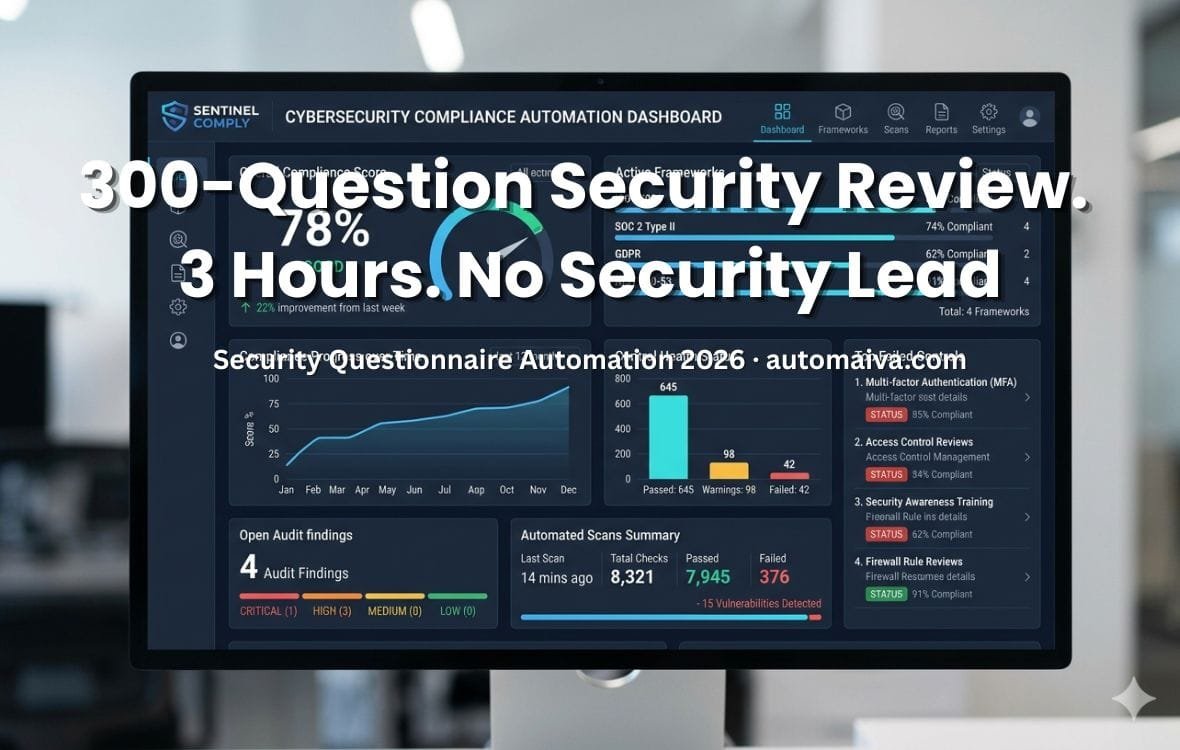
Enterprise security questionnaire automation is the difference between closing a $200K deal in three weeks and losing it to a competitor who answered the same 300-question security review in two hours — without a full-time security lead on staff.
The Deal Killer Nobody Budgets For
Enterprise security questionnaires average 200 to 400 questions per review. Manual completion takes 20 to 40 hours per questionnaire — typically split across your head of engineering, your CTO, and whoever happens to know where the SOC 2 report lives. At a $150/hour fully-loaded rate, a single questionnaire costs $3,000 to $6,000 in internal labor before the deal closes. Teams using AI-powered automation complete the same questionnaire in 1.5 to 3 hours with 85 to 96 percent accuracy on first draft. The time savings are real. The deal velocity improvement is real. And the tools that make this possible — Vanta, Drata, SafeBase, and a handful of AI-first alternatives — cost between $0 and $7,000 per year depending on which you choose. This guide shows the exact workflow, the real pricing, and the tool that fits your current SOC 2 and compliance stage. Time savings figures based on vendor-published case studies and user-reported data as of May 2026. Individual results vary.
A founder at a Series A B2B SaaS company shared this in a community Slack last quarter. Her company had just entered procurement with a Fortune 500 buyer — a potential $340,000 ARR contract. The buyer’s security team sent a 287-question CAIQ questionnaire on a Tuesday afternoon with a Friday deadline.
Before they had Vanta’s questionnaire automation, this would have consumed her CTO for four full days. Instead, Vanta’s AI agent drafted responses to 241 of the 287 questions automatically by pulling from their existing SOC 2 evidence, security policies, and knowledge base. Her security-focused engineer reviewed and approved those in 90 minutes. The remaining 46 questions requiring judgment calls took another two hours. Total time: 3.5 hours. The questionnaire went back to the buyer on Wednesday morning — two days ahead of deadline.
The deal closed. The buyer’s security team specifically mentioned the quality and speed of the response as a differentiator against two competitors who asked for an extension.
About this guide: The Automaiva team analyzed security questionnaire automation workflows across B2B SaaS teams from seed through Series B, comparing Vanta, Drata, SafeBase, Conveyor, and AI-first alternatives on response accuracy, setup time, pricing, and deal velocity impact. All pricing sourced from vendor websites as of May 2026.
Table of Contents
- Why Manual Security Reviews Kill Deals Before They Close
- How Security Questionnaire Automation Actually Works
- Vanta Questionnaire Automation — Best for Teams Already on Vanta
- Drata — Best for Teams Needing SOC 2 Plus Questionnaire Automation Together
- SafeBase — Best Trust Center for Deal Velocity Without a Security Lead
- Conveyor, Responsive, and AI-First Alternatives
- Head-to-Head Comparison: Features, Pricing, and Setup Time
- The Exact Workflow: From Questionnaire Receipt to Submission in Under 3 Hours
- How to Handle Questionnaires Before You Have SOC 2
- Frequently Asked Questions
Why Manual Security Reviews Kill Deals Before They Close
Security questionnaires have become a standard gate in enterprise procurement — and the gate is getting wider. In 2022, most enterprise buyers sent security reviews after contract negotiation. In 2026, procurement teams send them before second meetings at deals above $50K ARR. The volume has also increased: where a 2022 questionnaire averaged 80 to 120 questions, current CAIQ, SIG, and custom enterprise questionnaires routinely exceed 200 to 400 questions.
Manual completion fails for three compounding reasons. First, the knowledge is distributed across your team — your encryption approach lives in your CTO’s head, your incident response plan is in a Google Doc nobody can find quickly, and your penetration test results are in a PDF from nine months ago that may or may not reflect your current architecture. Second, the deadline is always shorter than the completion time — enterprise procurement moves on its timeline, not yours. A Friday deadline on a Tuesday questionnaire receipt is common. Third, the same questions appear across every questionnaire in slightly different wording — and every manual answer is essentially starting from scratch without a centralized knowledge base.
How Security Questionnaire Automation Actually Works
Security questionnaire automation platforms share a common architecture with three components that work together to replace the manual process.
Component 1 — The knowledge base. Every automation platform starts with a centralized repository of your security posture — your SOC 2 report, ISO 27001 certification, penetration test results, security policies, encryption specifications, access control documentation, and answers from previous questionnaires that were reviewed and approved by your team. The quality of your knowledge base directly determines the accuracy of your automated responses. A knowledge base built from completed SOC 2 evidence produces dramatically better first-draft accuracy than one built from scattered policy documents.
Component 2 — The AI response engine. When a new questionnaire arrives, the AI scans each question and searches your knowledge base for the most relevant approved answer. For questions with exact matches to previous questionnaire answers, the AI pulls the approved response directly. For questions with no exact match, the AI generates a draft response based on the most relevant documentation in your knowledge base, flagged with a confidence score that tells your reviewer how much human attention the answer needs. Best-in-class platforms achieve 85 to 96 percent first-draft accuracy on questionnaires from knowledge bases built on completed SOC 2 programs. Accuracy figures based on vendor-published case studies. Actual accuracy varies by knowledge base completeness.
Component 3 — The review and approval workflow. No automation platform eliminates human review entirely — nor should it. High-stakes security questionnaires require a human to approve answers before submission, particularly for questions about specific architectural decisions, data handling practices, or compliance gaps. The best platforms route questions requiring judgment to the right subject matter expert, send Slack or email reminders, and track approval status across the entire questionnaire so nothing falls through the cracks before the deadline.
Vanta Questionnaire Automation — Best for Teams Already on Vanta
The best security questionnaire automation for SaaS teams already using Vanta for SOC 2 or ISO 27001 is Vanta’s native Questionnaire Automation — because its knowledge base is built directly from your existing Vanta compliance program, meaning every control, policy, and evidence item is already structured and available for AI-powered response generation from day one.
Vanta QA — Strengths
- Knowledge base automatically populated from your Vanta compliance program — zero manual setup if you are already on Vanta SOC 2
- Agentic AI workflow routes questions to the right SME automatically, sends Slack reminders, and tracks approval status end-to-end
- One-click auto-complete for portal-based questionnaires — works directly inside OneTrust, Whistic, and other buyer portals
- Custom tagging by product, region, and industry lets you maintain multiple knowledge base versions for different customer profiles
- IDC-validated: Vanta reports weeks of security review time saved across teams using the automation — vendor-published figure, verify independently
- Trust Center included — prospects self-serve standard security documentation, reducing incoming questionnaire volume by up to 25%
Best for: Teams already on Vanta for compliance who want questionnaire automation without adding another vendor or rebuilding their knowledge base from scratch
Vanta QA — Limitations
- Questionnaire Automation is available as a standalone add-on or included on higher Vanta plans — pricing requires a sales conversation
- Maximum value requires an existing Vanta compliance program — teams without SOC 2 evidence in Vanta start with a less populated knowledge base
- Less useful as a standalone tool if you are not already on Vanta for compliance — SafeBase or Conveyor may be better standalone options
- AI accuracy on highly technical architecture questions still requires SME review — not a zero-human solution
Avoid if: You are not already on Vanta and do not plan to be — the standalone value does not justify onboarding the full Vanta platform solely for questionnaire automation
Pricing: Available as a standalone product or add-on to existing Vanta plans. Contact Vanta for current pricing — not publicly listed.
Verify at vanta.com/products/questionnaire-automation →
Drata — Best for Teams Needing SOC 2 Plus Questionnaire Automation Together
The best security questionnaire automation for SaaS teams starting their compliance journey who want SOC 2 and questionnaire automation from a single vendor is Drata — because its 2024 acquisition of SafeBase brought a market-leading trust center into the Drata platform, giving teams both continuous compliance monitoring and enterprise-grade questionnaire handling without managing two separate vendor relationships.
Drata — Strengths
- SafeBase trust center now native to Drata — powers security documentation self-service for prospects used by OpenAI and LinkedIn
- AI-powered questionnaire response generation from Drata compliance evidence — same single-source-of-truth as Vanta’s approach
- Flat-user pricing model means questionnaire automation scales with headcount without per-seat surprises
- Dedicated Customer Success Manager from onboarding through first questionnaire submission — highest-touch support in this comparison
- AI Vendor Risk Management added in 2026 — automates security questionnaires you send to your own vendors simultaneously
- 20+ supported compliance frameworks — questionnaire knowledge base covers SOC 2, ISO 27001, HIPAA, GDPR simultaneously
Best for: Series A teams starting SOC 2 who want questionnaire automation included in their compliance platform from day one — one vendor for compliance and trust
Drata — Limitations
- Implementation fee ($10K to $25K) is significant — not suitable for seed-stage teams without compliance budget
- SafeBase integration is newer — some advanced SafeBase standalone features may not yet be fully native in the Drata platform
- Smaller native integration library (140+) than Vanta (400+) — verify your specific tool integrations before committing
- Pricing requires a sales conversation — not publicly listed, which makes budget planning difficult before a demo
Avoid if: You are pre-SOC 2 and just need questionnaire automation — the full Drata platform is more than you need at that stage
Pricing: $7,500 to $30,000+/year depending on team size and frameworks. Contact Drata for current pricing.
Verify at drata.com/pricing →
SafeBase — Best Trust Center for Deal Velocity Without a Security Lead
The best standalone security questionnaire tool for SaaS teams that need to handle enterprise security reviews immediately — before completing SOC 2, without a compliance platform, and without a dedicated security hire — is SafeBase. Its trust center plus AI questionnaire assistance model lets you publish a branded security portal, share NDA-gated documentation, and auto-draft questionnaire responses from whatever security documentation you currently have, even if that is only a privacy policy and a basic security FAQ.
SafeBase — Strengths
- Trust center reduces incoming questionnaire volume — prospects self-serve security documentation, answering common questions before they become a questionnaire
- Works without a completed SOC 2 — you can publish whatever security documentation you have and build from there
- Free Foundation tier available — get a basic trust center live without upfront cost
- AI questionnaire assistance generates draft responses from your trust center content and uploaded documentation
- NDA-gated document sharing — share SOC 2 reports, penetration test summaries, and architecture diagrams under automated NDA with no legal overhead
- Analytics show which prospects are viewing your security documentation — valuable intent signal for sales teams
Best for: Seed to Series A SaaS teams moving upmarket for the first time who need to look security-mature to enterprise buyers before completing SOC 2
SafeBase — Limitations
- Now owned by Drata — standalone roadmap and pricing may shift as integration deepens; verify current standalone availability
- AI questionnaire assistance is weaker than Vanta’s agentic workflow for large, complex questionnaires — better for 50 to 150 question reviews than 300+ question CAIQ assessments
- Knowledge base quality depends on what you upload — teams with sparse security documentation get sparse AI-generated answers
- Advanced and Enterprise pricing requires contacting SafeBase — not publicly listed
Avoid if: You need full agentic workflow automation for 300+ question questionnaires on a weekly basis — Vanta or a dedicated tool like Conveyor handles that volume better
Pricing: Foundation tier free. Advanced and Enterprise plans require contacting SafeBase.
Verify at safebase.io/pricing →
Conveyor, Responsive, and AI-First Alternatives
Conveyor is purpose-built for high-volume questionnaire automation at Series B+ companies handling 20 or more security reviews per year. Its AI engine handles portal-based questionnaires — answering directly inside OneTrust, Whistic, and other buyer portals via browser extension without downloading, reformatting, and uploading. For enterprise sales teams running parallel deals with multiple Fortune 500 prospects simultaneously, Conveyor’s workflow handles the volume that Vanta and SafeBase become bottlenecks at. Pricing is enterprise-negotiated — contact for current rates.
Responsive (formerly RFPIO) is the broadest response management platform in this comparison — it handles RFPs, DDQs, security questionnaires, and all structured information requests from a unified content library. For SaaS companies that deal with both security questionnaires and sales RFPs simultaneously, Responsive eliminates maintaining two separate knowledge bases. Less specialized for security than Vanta or Conveyor, but stronger as a unified response management platform across all document types.
Inventive AI and AutoRFP.ai are AI-first alternatives built specifically to outperform compliance platform questionnaire automation on raw response accuracy. They do not require an existing compliance platform — they build their knowledge base from any uploaded security documentation. Both report 85 to 96 percent first-draft accuracy on questionnaires from well-populated knowledge bases. AutoRFP.ai’s browser extension handles portal-based questionnaire responses directly inside buyer portals without downloading. Pricing starts at approximately $300 to $500 per month — more accessible than Vanta or Drata for early-stage teams that have not yet committed to a compliance platform. Pricing sourced from vendor websites as of May 2026; verify current rates directly.
Head-to-Head Comparison: Features, Pricing, and Setup Time
| Feature | Vanta QA | Drata | SafeBase | AutoRFP.ai |
|---|---|---|---|---|
| AI response accuracy | ~92% (vendor) | ~85-90% (vendor) | ~75-85% | ~87-96% (vendor) |
| Works without SOC 2 | Partial — limited KB | Partial — limited KB | Yes | Yes |
| Portal-based questionnaire handling | Yes — one-click | Limited | Limited | Yes — browser ext |
| Trust center included | Yes | Yes (SafeBase) | Yes — core product | No |
| SME routing and approval workflow | Agentic — automated | Yes — CSM supported | Basic | Yes — Slack + Teams |
| Free tier available | No | No | Yes — Foundation | No |
| Starting price | Contact for pricing | $7,500+/year | Free to start | ~$300-500/month |
| Setup time to first questionnaire | 1 day (if on Vanta SOC 2) | 1 to 2 weeks | Hours | 1 to 2 days |
Accuracy figures are vendor-published. Actual accuracy depends on knowledge base completeness. Verify all pricing directly with vendors as of your purchase date.
The Exact Workflow: From Questionnaire Receipt to Submission in Under 3 Hours
This is the step-by-step process that teams using Vanta or AutoRFP.ai follow to complete a 200-question enterprise security questionnaire in under 3 hours. The same process works on any platform with an AI response engine and SME routing workflow.
Step 1 — Receive and upload the questionnaire (5 minutes). Most enterprise questionnaires arrive as Excel files, Word documents, PDFs, or via online portals like OneTrust or Whistic. Upload the file directly to your automation platform or use the browser extension to respond inside the portal directly. Your automation tool parses the questions and maps them against your knowledge base automatically — no manual reformatting required on platforms like Vanta, AutoRFP.ai, or Conveyor.
Step 2 — Review AI-generated first draft (30 to 45 minutes). The platform generates AI responses for every question simultaneously and flags each with a confidence score. High-confidence answers (typically 80 to 95 percent of questions on a well-populated knowledge base) require only a quick read-through for approval. Low-confidence answers — those where the AI could not find a strong match in your knowledge base — are flagged for SME review. Approve the high-confidence answers in bulk. Route the low-confidence questions to the right person automatically via Slack notification.
Step 3 — SME review of flagged questions (45 to 60 minutes). Your engineer or CTO reviews only the flagged questions — typically 10 to 30 percent of the total questionnaire — rather than the entire document. Each flagged question arrives in Slack with the AI’s draft answer and the source documents it used to generate it. The SME approves, edits, or rewrites the answer directly in Slack without opening the platform. Approved answers are automatically added to your knowledge base for future questionnaires.
Step 4 — Final review and submission (20 to 30 minutes). Once all questions are approved, run a final consistency check — verify that answers referencing specific tool names, certifications, or policy dates are current and accurate. Export the completed questionnaire in the format the buyer requires, or submit directly through the portal integration. Attach your SOC 2 report and relevant certifications via your trust center’s NDA-gated sharing link rather than email attachments.
Total time: 100 to 130 minutes for a 200-question questionnaire on a well-populated knowledge base. The first questionnaire through the system always takes longer — plan 3 to 5 hours as SMEs build out the knowledge base with their initial answers. From questionnaire two onward, completion time drops sharply as the knowledge base learns.
How to Handle Questionnaires Before You Have SOC 2
Enterprise security questionnaires often arrive before your SOC 2 Type II audit is complete — sometimes before you have even started the SOC 2 process. Refusing to engage or asking for delays costs deals. The right approach is radical transparency combined with a credible roadmap.
Publish a trust center immediately. SafeBase’s free Foundation tier lets you publish a branded security page within hours. Populate it with whatever documentation you currently have — your privacy policy, your data processing agreement template, your encryption standards (even if informal), your incident response policy, and your SOC 2 timeline if you have started. A trust center that shows a thoughtful, organized security program — even without a SOC 2 report — signals maturity to procurement teams and reduces incoming questionnaire volume by giving prospects a place to self-serve common questions.
Answer honestly on questionnaire items you cannot yet confirm. Enterprise security teams respect honesty more than evasion. For controls you have not yet implemented, state clearly: “Control not yet implemented — target implementation date Q3 2026 as part of our SOC 2 Type II program.” For controls in progress: “Control implemented — SOC 2 Type II observation period begins [date], audit report expected [date].” This framing shows maturity and gives the buyer a concrete timeline rather than vague assurances.
Offer a security call. For deals above $100K ARR, a 30-minute call between your CTO and the buyer’s security team replaces hundreds of questionnaire questions with direct, credible answers. Most enterprise security teams respect founders who offer direct engagement over teams that route everything through slow document exchanges. A security call closes more questionnaire cycles than any software tool at the pre-SOC 2 stage.
Frequently Asked Questions
What is security questionnaire automation?
Security questionnaire automation uses AI to generate draft responses to enterprise security reviews — SIG, CAIQ, VSAQ, and custom procurement questionnaires — by pulling from a centralized knowledge base of your security documentation, policies, past questionnaire answers, and compliance evidence. Instead of a team member manually answering 200 to 400 questions over several days, the AI generates a first draft in minutes, which a subject matter expert reviews and approves in 1 to 3 hours. Leading platforms achieve 85 to 96 percent first-draft accuracy on questionnaires from well-populated knowledge bases, with the remaining questions routed to the appropriate internal expert for review. Accuracy figures based on vendor-published data. Actual results vary.
Do I need SOC 2 before using security questionnaire automation?
No. Tools like SafeBase and AutoRFP.ai build their knowledge base from whatever security documentation you currently have — privacy policies, security FAQs, penetration test results, encryption specifications, and any previous questionnaire answers you have on file. Accuracy improves significantly with a completed SOC 2 program because SOC 2 evidence provides a structured, comprehensive security posture document that the AI can draw from. For teams pre-SOC 2, automation still reduces manual completion time significantly — the AI handles common questions and your team focuses only on the more specific architectural and policy questions that require judgment.
How accurate is AI-generated security questionnaire automation?
Vendor-published accuracy figures range from 85 to 96 percent first-draft accuracy on questionnaires from well-populated knowledge bases. Accuracy depends primarily on knowledge base completeness — a knowledge base built from a completed SOC 2 program with 12 months of evidence produces dramatically higher accuracy than one built from three policy documents. All platforms require human review before submission — AI-generated responses should never be submitted without SME approval, particularly on questions about specific architectural decisions, data handling practices, or compliance gaps. Human-in-the-loop review is a feature, not a limitation. Accuracy figures based on vendor-published case studies as of May 2026.
What is a trust center and why does it reduce questionnaire volume?
A trust center is a customer-facing security portal where prospects self-serve your security documentation — SOC 2 reports, ISO certifications, penetration test summaries, privacy policies, and DPA templates — under automated NDA without emailing your team. When prospects can access your security posture documentation independently before sending a questionnaire, a significant portion of their questions are answered before the formal review begins. SafeBase users report up to 25 percent reduction in incoming questionnaire volume after publishing a trust center. Vanta and Drata both include trust centers in their platforms — they are not standalone tools but integral components of a complete security review automation stack.
How long does it take to set up security questionnaire automation?
Setup time varies significantly by platform and your existing documentation. SafeBase’s free Foundation trust center can be live within hours of signing up. AutoRFP.ai takes 1 to 2 days to upload documentation and configure the knowledge base. Vanta Questionnaire Automation is live within 1 day for teams already on Vanta’s compliance platform — the knowledge base populates automatically from existing Vanta evidence. Drata takes 1 to 2 weeks including the implementation process with their Customer Success team. The first questionnaire completion always takes longer than subsequent ones — expect 3 to 5 hours for your first run as SMEs populate the knowledge base with initial answers. From questionnaire two onward, completion time drops to 1.5 to 3 hours.
What types of security questionnaires can automation handle?
Leading automation platforms handle all major standardized questionnaire formats — CAIQ (Cloud Security Alliance), SIG (Standardized Information Gathering), VSAQ (Vendor Security Assessment Questionnaire), NIST-based reviews, HIPAA security questionnaires, and custom enterprise questionnaires in Word, Excel, PDF, and online portal formats. Portal-based questionnaires — those submitted through OneTrust, Whistic, and other vendor management platforms — are handled via browser extensions on platforms like Vanta, AutoRFP.ai, and Conveyor, which respond directly inside the portal without downloading and re-uploading documents. If your buyer uses a non-standard proprietary questionnaire format, verify that your chosen platform can ingest it before committing.
What is the ROI of security questionnaire automation for a SaaS startup?
The ROI calculation is straightforward. Manual completion of a 200-question enterprise security questionnaire takes 18 to 25 hours across engineering, security, and executive team members. At a $150/hour fully-loaded rate, that is $2,700 to $3,750 per questionnaire. Automated completion takes 1.5 to 3 hours of review time — $225 to $450 in internal labor cost. The saving per questionnaire is approximately $2,500 to $3,300. A startup receiving 10 enterprise security questionnaires per year saves $25,000 to $33,000 in internal labor annually — before accounting for the deal velocity improvement from faster turnaround times. Most automation platforms cost $3,000 to $7,000 per year at startup scale, producing a 3 to 10x ROI on labor savings alone. ROI figures are estimates based on stated labor costs and vendor time-saving claims. Actual results vary by questionnaire complexity and team hourly rate.
Pricing note: All pricing information referenced in this article is accurate as of May 2026 and subject to change. Always verify current pricing directly on each vendor’s official website before making a purchase decision. Enterprise pricing for Vanta, Drata, and Conveyor requires a direct sales conversation.
More from Automaiva
- Vanta vs Drata vs Secureframe vs Sprinto 2026: SOC 2 Compliance Tool Real Cost Breakdown
- SOC 2 Compliance Tools 2026: Vanta vs Drata vs Secureframe vs Sprinto — Honest Breakdown
- The SaaS Security Checklist Investors and Enterprise Buyers Actually Use Before Signing in 2026
- Zero Trust Security for SaaS Founders 2026: What It Actually Means and What to Implement First
- SaaS Churn Prevention Automation: Build an Early Warning System That Saves Accounts
Written by the Automaiva Editorial Team