
Disclaimer: Platform capabilities, pricing, and market data referenced in this article are based on publicly available information as of April 2026. The AI agent and automation category is evolving rapidly — capabilities and pricing change frequently. Always verify current details directly with each vendor before making purchasing decisions. This article is for informational purposes only.
Editorial note: Automaiva selects and recommends tools based on independent research. We have no paid relationships with any vendor mentioned in this article.
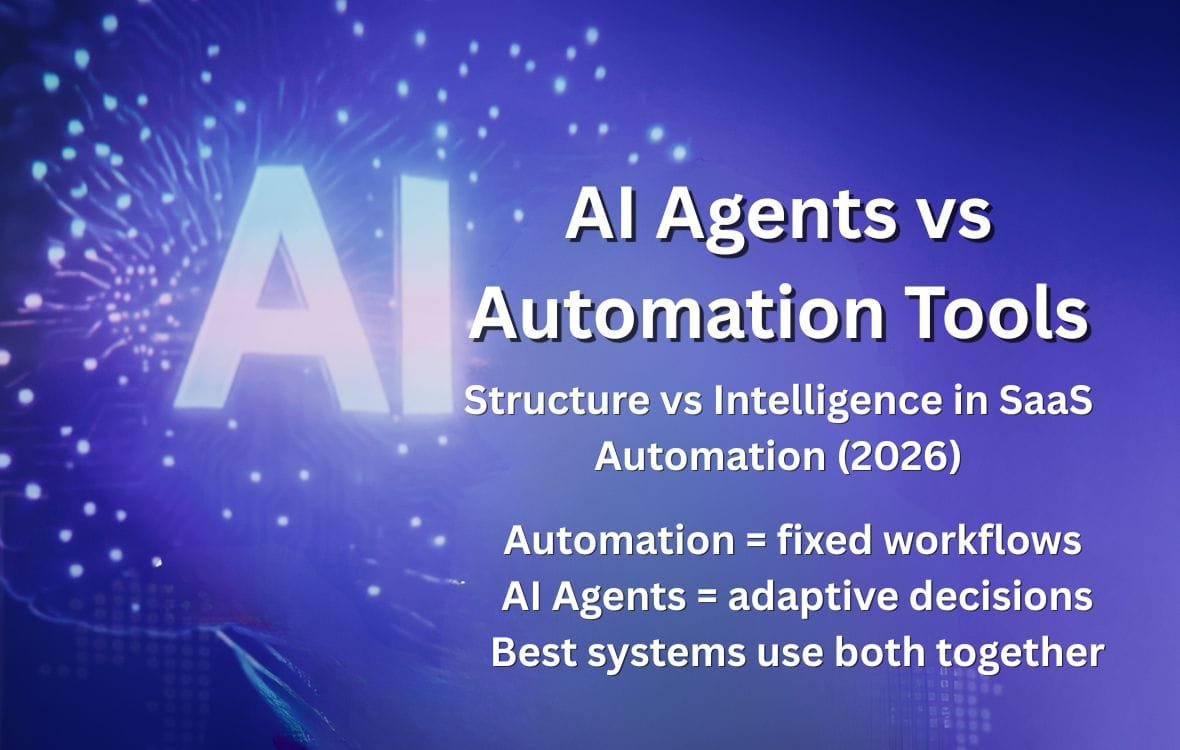
AI agents vs automation tools for SaaS teams in 2026 are not competing for the same job. Confusing them is why most teams either automate the wrong things or expect their automation tools to make decisions they were never designed to make.
Quick Selection Guide — Pick Your Path in 30 Seconds
Use automation tools (Zapier, Make, n8n) when: you have a known, repeatable process with defined inputs and outputs — new HubSpot contact triggers a Slack notification, Stripe payment triggers an invoice in QuickBooks, form submission creates a task in Linear. The process is the same every time. Use AI agents when: the task requires reading context, making a decision, or adapting based on what it finds — qualify this lead based on company size and recent funding, summarize this customer complaint and route it to the right team, research this prospect and draft a personalised outreach email. The outcome varies based on the input. Use both together when: an automation tool triggers a workflow, an AI agent handles the decision or research step, and the automation tool distributes the result. This is the 2026 production pattern. Platform capabilities based on published vendor documentation as of April 2026.
| Automation tools Zapier, Make, n8n | AI agents Lindy, Claude, GPT-4o, custom | Combined (agentic automation) n8n + LLM, Make + Claude API | |
|---|---|---|---|
| Core mechanism | Predefined trigger-action sequences | Goal-directed reasoning with dynamic tool use | Structured workflow with AI decision nodes |
| Decision capability | Rule-based only (if/then/else) | Context-aware, adaptive | Structured steps + AI handles ambiguous nodes |
| Handles unstructured input? | No — requires structured data | Yes — email text, PDFs, conversations | Yes — AI step handles the unstructured part |
| Reliability / predictability | Very high — same input = same output | Variable — output quality depends on prompt and model | High for structured steps, variable for AI nodes |
| Cost model | Per task/operation or flat subscription | Per token / per API call — scales with usage | Flat workflow cost + variable AI call cost |
| Best SaaS use cases | Data sync, notifications, onboarding sequences, reporting triggers | Lead research, support triage, content drafting, customer data classification | Inbound lead qualification, support escalation, personalised outreach generation |
| Technical requirement | Low — non-technical ops teams can build | Medium to high — requires prompt engineering and API integration | Medium — workflow tool + API call to AI provider |
Your CTO forwarded you an article about how AI agents are going to replace entire categories of SaaS software. Your head of operations has been using Zapier for two years and is not convinced there is anything wrong with it. Both of them are right — and neither of them is describing the same thing.
The $2 trillion selloff in software stocks in early 2026 was triggered by one specific insight: AI agents can now bypass the workflow interfaces that SaaS vendors spent a decade building. If an agent can execute a multi-step task across your stack without a human ever logging into a dashboard, the value of that dashboard erodes. This is a real structural shift — but it does not mean Zapier is dead. It means the question of which tasks belong to automation tools and which belong to AI agents has become consequential for the first time.
The confusion is understandable because both categories use the word “automation.” Both run without humans. Both save time. But they are solving different problems at different layers of your operations, and choosing one where you need the other is the root cause of most failed AI and automation implementations in B2B SaaS teams in 2026.
About this guide: The Automaiva team analyzed how B2B SaaS teams from seed through Series B are deploying automation tools and AI agents in 2026, drawing on published platform research, founder-reported outcomes, and product documentation. All platform capabilities and pricing sourced from vendor documentation as of April 2026.
Table of Contents
- The Core Difference: Predefined vs Goal-Directed
- Automation Tools: What They Are, What They Do, Where They Break
- AI Agents: What They Are, What They Do, Where They Break
- 7 Questions to Know Which One Your Task Needs
- The 2026 Production Pattern: Using Both Together
- Real SaaS Use Cases: Which Tool for Which Job
- Cost Comparison: What You Actually Pay in 2026
- When to Start With Automation and When to Start With Agents
- Frequently Asked Questions
The Core Difference: Predefined vs Goal-Directed
The fundamental distinction between automation workflows and AI agents is the nature of the decision layer. Automation tools execute predefined sequences. Every step is mapped in advance. The tool does not decide what to do — it does exactly what you told it to do, in exactly the order you specified, every time the trigger fires. Same input, same output, no variation.
AI agents are goal-directed. You give the agent an objective — “research this company and identify the best contact for a VP of Engineering outreach” — and the agent determines which steps to take, in what order, using which tools, based on what it finds along the way. The process is not predetermined. The agent reads the output of each step and decides what to do next. Two different companies might require completely different research paths to reach the same output.
Workflow automation is ideal for repetitive processes where the path is always the same. Autonomous AI agents are more flexible and better suited for tasks that change frequently or require judgment. Neither is superior — they are designed for different problem types. The mistake is applying one where the other is needed.
Automation Tools: What They Are, What They Do, Where They Break
Automation tools — Zapier, Make, and n8n being the three most widely used in the B2B SaaS stack — are integration and workflow platforms. They connect your SaaS applications through API integrations and allow you to build trigger-action sequences without writing code. When X happens in app A, do Y in app B. When Y happens in app B, do Z in app C.
Their core strength is reliability. A well-built automation workflow is deterministic — the same input produces the same output every time. It does not make mistakes because it makes no decisions. For the category of tasks where reliability is more valuable than flexibility — data synchronization, notification routing, onboarding sequences, report generation, CRM field updates — automation tools are the right answer and AI agents are not.
Automation tools — strengths
- Deterministic — same input always produces same output
- Low ongoing cost — flat subscription, no per-call token charges
- Non-technical teams can build and maintain workflows
- 8,000+ native integrations (Zapier) — connects almost every SaaS tool
- Mature error handling — failed steps trigger alerts, not silent failures
- Easy to audit — every step is visible and logged
Automation tools — where they break
- Cannot handle unstructured input — a customer email is not a structured field
- Cannot make judgment calls — routing based on sentiment requires rules for every edge case
- Brittle on variation — a process that works for 80% of inputs fails on the rest
- Cannot research, summarize, or generate content
- Require upfront mapping — the entire process must be defined before a single workflow runs
Where automation tools fall short: Any task that requires reading natural language, making a judgment call based on context, or adapting the process based on what the previous step returned is outside the design envelope of automation tools. Trying to use conditional logic branches to replicate this behavior creates workflows that work for the majority of cases and silently fail or route incorrectly for the rest.
Verdict: Best for data synchronization between SaaS tools, notification routing, scheduled reports, onboarding sequences, CRM field updates from form submissions, and any process where every input follows the same path to the same output.
AI Agents: What They Are, What They Do, Where They Break
AI agents are systems that use large language models (LLMs) to perceive a goal, select tools to use, execute those tools in sequence, evaluate the results, and continue until the goal is met or requires human intervention. Unlike traditional SaaS platforms designed around human interaction with dashboards and forms, AI agents interact directly with systems through APIs, data services, and automation frameworks — retrieving information from multiple sources, evaluating possible actions, and executing tasks automatically based on defined goals.
The practical capability this creates is the ability to handle tasks where the process cannot be predetermined. A lead qualification agent that reads a prospect’s LinkedIn profile, recent news about their company, and their website, then scores the lead against your ICP criteria and drafts a personalized outreach note — this is not a workflow that could be built in Zapier because the research steps vary for every lead and the output requires synthesis of unstructured information.
AI agents — strengths
- Handle unstructured input — emails, documents, web pages, conversations
- Adaptive — process varies based on what each step returns
- Can research, summarize, classify, draft, and reason
- No upfront process mapping needed — describe the goal, not every step
- Improve with better prompts — quality can be iterated without rebuilding
- Handle the 30% of edge cases that break deterministic workflows
AI agents — where they break
- Variable output quality — same prompt can produce different results on different runs
- Higher cost at scale — per-token pricing compounds quickly on high-volume tasks
- Harder to audit — the agent’s reasoning is not always transparent
- Require prompt engineering — bad prompts produce unreliable outputs
- Latency — agents that make multiple API calls take seconds to minutes, not milliseconds
Where AI agents fall short: For tasks where the same input must always produce the same output — data sync, notification routing, scheduled jobs — AI agents are the wrong tool. The variable output quality is not acceptable for deterministic processes, and the per-token cost at high volume is significantly more expensive than a flat automation platform subscription. AI agents are not replacing automation tools for the tasks automation tools were designed for.
Verdict: Best for lead research and qualification, support ticket classification and routing, customer feedback analysis, personalized content generation, and any task where the process adapts based on context and the input is unstructured.
7 Questions to Know Which One Your Task Needs
Before building any automation or agent workflow, apply this checklist. The answer to most questions points clearly to one category or the other.
1. Is the process the same every time? If yes — the same input always follows the same steps to the same output — use an automation tool. If the steps vary based on what the previous step returns, use an AI agent.
2. Does the input contain natural language or unstructured content? Emails, customer messages, support tickets, web pages, PDFs, and call transcripts are unstructured. Automation tools cannot meaningfully process these without a pre-built parsing layer. AI agents handle them natively.
3. Is reliability more important than adaptability? For CRM updates, billing events, and data synchronization, reliability is everything. Automation tool. For lead qualification where a rigid ruleset misses nuance, adaptability matters more. AI agent.
4. Does the task require judgment or research? “Send this email when this event fires” requires no judgment. “Determine if this support ticket should go to tier 1 or tier 2 based on urgency and complexity” requires judgment. Judgment belongs to AI agents.
5. How many inputs does this task process per day? At 10,000+ operations per day, AI agent token costs compound significantly. High-volume, low-complexity tasks belong in automation tools. Lower-volume, higher-complexity tasks justify AI agent cost.
6. Does the task need to produce original content? Drafting, summarizing, classifying, and generating text are AI capabilities. Automation tools move data — they do not produce content.
7. Can you define every edge case in advance? If you can write a complete ruleset that covers every possible input, automation tools handle it. If there will always be edge cases that break the rules, AI agents handle the variation.
The 2026 Production Pattern: Using Both Together
The most effective B2B SaaS operations in 2026 do not choose between automation tools and AI agents — they use both at different layers of the same workflow. Mature organizations often run all three layers in parallel: iPaaS for app integrations, traditional automation for structured data flows, and AI workflow builders for assistants and decision flows.
The combined pattern works like this: an automation tool detects the trigger event and gathers the inputs. An AI agent handles the step that requires judgment, research, or content generation. The automation tool distributes the output to the right destination.
Three concrete examples of this pattern running in production at SaaS companies in 2026:
Inbound lead qualification: Zapier detects new form submission → passes company name and email to Clay enrichment API → passes enriched data to Claude or GPT-4o with ICP scoring prompt → Claude returns lead score and qualification rationale → Zapier routes to Slack (qualified) or HubSpot nurture sequence (unqualified) based on score. The automation tool handles the reliable trigger-route steps. The AI agent handles the judgment step that no rule-based system handles accurately.
Support ticket triage: n8n webhook receives new support ticket → n8n extracts ticket text and account data → passes to Claude with classification prompt → Claude returns: priority (1/2/3), category (billing/technical/onboarding), recommended team, and draft response → n8n routes ticket to correct team in Linear and posts draft response for human review in Slack. The judgment layer (classification and draft) belongs to the agent. The execution layer (routing and posting) belongs to the automation tool.
Competitive intelligence digest: Make runs weekly → fetches competitor blog RSS feeds and Google Alerts → passes new content URLs to Perplexity or Claude → Claude summarizes key developments and identifies implications for your product roadmap → Make formats the summary and posts to a dedicated Slack channel. No human touches the workflow. The content synthesis is AI. The scheduling, fetching, and distributing is automation.
Real SaaS Use Cases: Which Tool for Which Job
| SaaS task | Right tool | Why |
|---|---|---|
| New Stripe payment → update CRM + send Slack notification | Automation (Zapier/Make) | Deterministic, structured data, same process every time |
| New inbound lead → research company → score against ICP → draft outreach | AI agent + automation trigger/deliver | Requires research, judgment, and content generation |
| Support ticket received → classify → route to correct team | AI agent for classification + automation for routing | Classification requires reading natural language; routing is deterministic |
| Weekly MRR report → pull from Stripe → format → send to Slack | Automation (Make/n8n) | Scheduled, structured data, same format every week |
| New G2 review posted → summarize sentiment → alert product team if negative | AI agent + automation trigger | Sentiment analysis requires language understanding |
| User completes onboarding step → send next email in sequence | Automation | Event-driven, predefined sequence, no judgment required |
| Customer sends churn signal (usage drop + support ticket) → draft retention email | AI agent (personalized draft) + automation trigger | Generic email template is automation; personalized draft based on account history is AI |
| New competitor feature launch → summarize impact → brief product team | AI agent | Requires reading, synthesizing, and contextualizing unstructured content |
Cost Comparison: What You Actually Pay in 2026
| Platform | Type | Entry paid plan | Cost model | Best for |
|---|---|---|---|---|
| Zapier | Automation | $19.99/month (750 tasks) | Per task — scales with volume | Non-technical ops teams, 8,000+ app integrations |
| Make | Automation | $9/month (10,000 ops) | Per operation — cheaper per operation than Zapier | Complex multi-step logic, technical ops teams |
| n8n | Automation | $20/month cloud or self-host free | Flat or self-hosted — most cost-efficient at scale | Developer teams, self-hosted data sovereignty |
| Claude API (Anthropic) | AI agent LLM | Pay-per-token — no minimum | ~$3–15 per million tokens depending on model | Complex reasoning, long context, code and analysis tasks |
| OpenAI GPT-4o API | AI agent LLM | Pay-per-token — no minimum | ~$2.50–10 per million tokens | Broad capability, large developer ecosystem |
| Lindy | AI agent platform | $49.99/month | Per credits — includes pre-built agent templates | Non-technical teams wanting pre-built AI agents without API setup |
All pricing based on published vendor rates as of April 2026. Verify current pricing directly with each vendor before purchasing.
When to Start With Automation and When to Start With Agents
Start with automation tools if: You have manual processes that are already well-defined — the same person does the same steps every time — and the bottleneck is execution speed rather than decision quality. Automation tools deliver immediate, measurable time savings for defined processes and require no AI expertise to build or maintain. They are the right first layer for any operations function.
Start with AI agents if: Your team is manually doing tasks that require reading and synthesizing information — qualifying leads, classifying support tickets, summarizing customer feedback, researching prospects before outreach. These tasks do not become faster by adding more people. They become faster by using an AI layer that handles the reading and judgment.
The practical starting point for most seed to Series A SaaS teams in 2026: Automate your data plumbing first (CRM updates, Slack notifications, onboarding sequences) using Make or n8n. Then add AI to the one or two tasks where your team spends the most time reading and making judgment calls. Start with a single combined workflow — automation trigger, one AI step, automation delivery — before building a full agentic stack.
Frequently Asked Questions
What is the difference between AI agents and automation tools in plain language?
Automation tools follow a script. Every step is defined in advance, and the tool executes those steps the same way every time. AI agents pursue a goal. You tell the agent what you want achieved, and it determines which steps to take based on what it finds along the way. Automation tools are reliable and cheap at scale. AI agents are flexible and handle tasks that cannot be scripted. The best SaaS operations use both at different layers.
Will AI agents replace Zapier and Make?
Not for the tasks automation tools were designed for. Zapier and Make are purpose-built for reliable, high-volume trigger-action workflows — syncing data between apps, sending notifications, running scheduled jobs. AI agents do not replace this layer. They add a decision and reasoning layer on top of it. The most effective 2026 SaaS operations use automation tools for the deterministic steps and AI agents for the steps that require judgment or content generation. The categories work together, not against each other.
What is agentic AI and why does it matter for SaaS teams?
Agentic AI refers to AI systems that act autonomously toward a goal — perceiving their environment, deciding which tools to use, executing those tools, evaluating results, and continuing until the goal is met. For SaaS teams it means tasks that previously required a human to read, decide, and act can now be delegated to an AI system with appropriate guardrails. The practical applications in 2026 include lead qualification, support triage, competitive intelligence, and personalized outreach — all tasks where the process varies based on context and cannot be fully scripted.
How much does it cost to build an AI agent workflow for a SaaS team?
A simple combined workflow — Make trigger plus Claude API call plus Make delivery — costs approximately $9 to $20/month for the Make subscription plus API token costs that scale with usage. For a workflow processing 500 lead qualification tasks per month at approximately 2,000 tokens per task, Claude API costs run approximately $3 to $15/month depending on the model. Total operational cost for this workflow: $12 to $35/month. Build time for a technical founder or developer: 2 to 4 hours. The cost barrier to agentic automation in 2026 is engineering time, not platform cost. All figures based on published pricing as of April 2026. Verify current API pricing directly with each provider.
Which automation tool is best for adding AI agents to a SaaS workflow?
n8n is the strongest platform for building combined automation and AI agent workflows in 2026 because it supports direct HTTP calls to any AI API, has native LangChain and LLM nodes, and can be self-hosted for data sovereignty. Make is the best choice for non-technical teams because its visual interface is more approachable and it has a larger library of pre-built integrations. Zapier has added AI steps but the cost per operation at AI-workflow volume is higher than Make or n8n. See our detailed Zapier vs Make vs n8n cost comparison for the full breakdown.
Can a non-technical founder build AI agent workflows without coding?
Yes, with the right tools. Lindy and similar no-code AI agent platforms provide pre-built agent templates that non-technical founders can configure without writing code or making API calls. Make’s visual builder supports AI steps through HTTP request nodes that connect to Claude or OpenAI APIs with minimal technical setup. The practical limit is prompt engineering — getting an AI agent to produce reliable, consistent outputs requires careful prompt design that improves with iteration. This is learnable but requires time investment regardless of technical background.
What is the first AI agent workflow a SaaS team should build?
The highest ROI first workflow for most B2B SaaS teams is inbound lead qualification. The trigger is simple (new form submission or CRM entry), the AI step is clearly defined (score against ICP criteria and summarize why), and the output is immediately useful (routed to sales or nurture). The workflow recovers 15 to 30 minutes of SDR time per qualified lead and runs without human intervention. Build it in Make or n8n with a Claude or GPT-4o API call in the middle. Start with 10 test leads, validate the output quality, then activate for all inbound.
Pricing note: All platform pricing referenced in this article is accurate as of April 2026 and subject to change. AI API pricing in particular changes frequently. Always verify current pricing directly with each vendor before budgeting.
More from Automaiva
- Zapier vs Make vs n8n: Which Pays for Itself Fastest at Your Usage Volume (2026)
- How to Add AI Agent Features to Your Existing SaaS Product Without a Full Rebuild (2026)
- Agentic AI Orchestration: Lindy vs Relay vs Gumloop vs Wordware (2026)
- SaaS Churn Prevention: How to Build an Automated Early Warning System (2026)
- Apollo vs Clay vs Instantly vs Lemlist: Cold Outreach Stack Audit (2026)
Written by the Automaiva Editorial Team