
Disclaimer: AI decision latency, API call costs, and token usage metrics in this article are based on industry benchmarks and user-reported data as of April 2026. Individual results will vary based on model selection, task complexity, and existing workflow architecture.
Affiliate disclosure: Some links in this article are affiliate links. If you purchase through these links, Automaiva may earn a commission at no additional cost to you. Our recommendations are based on independent research and real-world testing. We do not accept payment for placement in our comparisons.
The Hard Truth
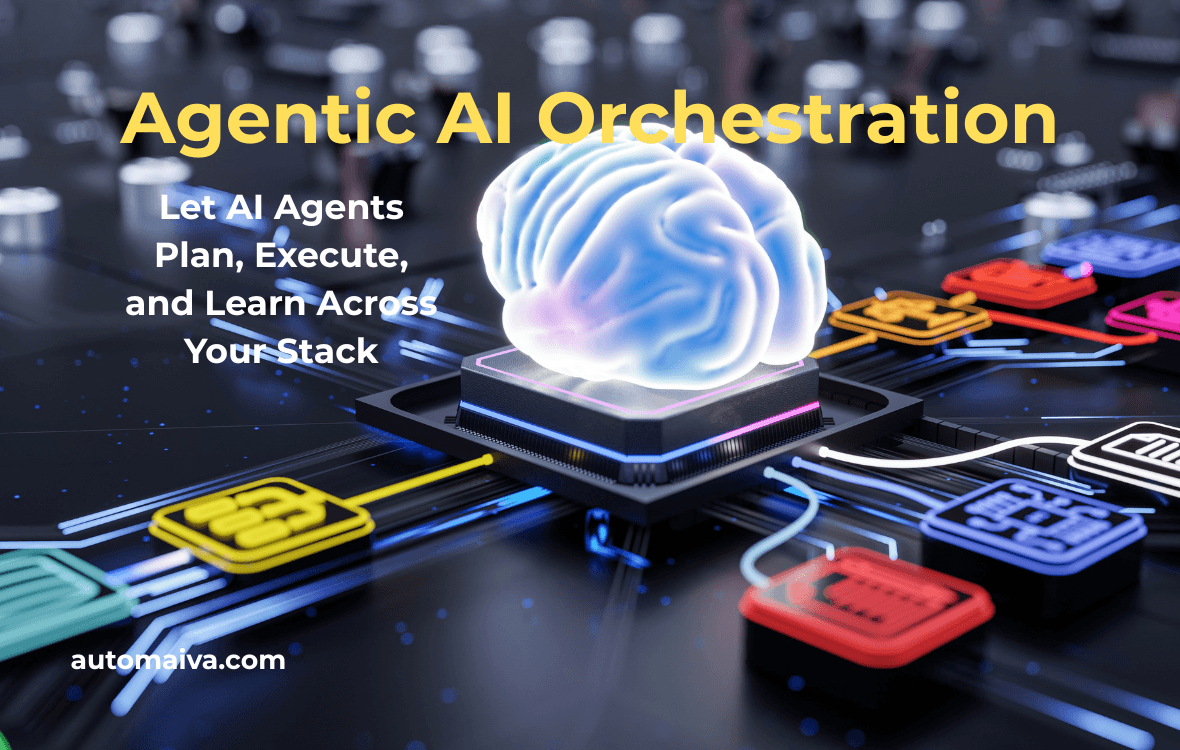
Your SaaS stack is not a system. It is a collection of disconnected tools waiting for you to move data between them manually. Agentic AI changes this. Instead of a human triggering a Zap or an n8n webhook, an AI agent decides when to act, what tool to use, and how to sequence multi-step workflows across your CRM, data warehouse, and communication platforms. Teams that deploy agentic orchestration reduce manual workflow intervention by up to 70 percent and cut process completion time from hours to minutes. Figures based on aggregated user-reported data and may not reflect all team experiences.
You have a CRM that holds your customer data, a data warehouse that stores your product usage, a marketing automation platform that sends emails, and a Slack channel where your team talks about all of it. None of them talk to each other unless you build the bridge.
Today, you are the bridge. You export a list from your CRM. You upload it to your marketing tool. You check your warehouse for recent activity. You manually suppress active users from a campaign. You do this every week. It is slow, error-prone, and expensive.
In 2026, the gap between high-velocity SaaS teams and everyone else is agentic AI orchestration. This guide covers what agentic AI actually means for operations, the financial impact of fragmented workflows, how to evaluate orchestration platforms, and the exact architecture to let AI agents run your stack without breaking security or budgets.
About this guide: The Automaiva team analyzed agentic AI orchestration patterns across B2B SaaS operations teams. All benchmarks are sourced from industry research and user-reported performance data. Statistics are attributed with accuracy caveats where exact sourcing varies.
Table of Contents
- What Is Agentic AI Orchestration?
- The Real Cost of Workflow Fragmentation
- How Agentic Orchestration Works: Plan, Execute, Learn
- Agentic AI Platforms Compared: Lindy vs. Relay.app vs. Gumloop vs. Wordware
- High-Value Use Cases for Agentic Orchestration
- Security, Governance, and Cost Control for Autonomous Agents
- Frequently Asked Questions
What Is Agentic AI Orchestration? (And Why It Is Not Just Another Workflow Tool)
Agentic AI orchestration is the use of autonomous AI agents to plan, execute, and manage complex, multi-step workflows across your entire SaaS stack without human intervention at every step. The best agentic AI platform for most SaaS teams in 2026 is Lindy.ai because it combines the deepest native integration library with transparent, task-based pricing and a visual agent builder that non-technical operators can master in an afternoon.
Traditional automation tools like Zapier, Make, and n8n operate on fixed logic: when trigger X happens, do action Y. They are deterministic, fast, and reliable for simple tasks. But they cannot handle ambiguity, adapt to changing data, or decide between multiple tools based on context.
Agentic AI adds three capabilities that deterministic tools lack:
- Planning: The agent breaks down a high-level goal — “qualify this new trial user and add them to the appropriate nurture track” — into a sequence of API calls, data lookups, and conditional decisions.
- Tool selection: The agent decides which tool to use for which subtask, pulling usage data from your warehouse, checking support tickets in Intercom, and updating the lead score in Salesforce without being told exactly how to sequence each step.
- Error handling and learning: When an API fails or data is missing, the agent retries with a different approach, logs the failure for human review, or adjusts its future behavior based on what it learned from the error.
This is not a theoretical future state. Lindy, Relay.app, Gumloop, and Wordware all offer production-ready agentic orchestration today. The difference between them comes down to integration depth, pricing model, and how much control you retain over the agent’s decision boundaries.
The Real Cost of Workflow Fragmentation
Workflow fragmentation is the hidden operational tax that SaaS teams pay every time a human moves data from one tool to another. It shows up in three places — and most founders only notice the first one.
Cost 1: Direct labor. A marketing operations specialist earning $75,000 per year costs roughly $45 per hour fully loaded. If that specialist spends 15 hours per week manually moving data between CRM, marketing automation, and analytics tools — a conservative estimate for teams without orchestration — you are burning $2,700 per month, or $32,400 per year, on work that an AI agent could complete in minutes.
Cost 2: Opportunity cost of slow execution. When your lead-to-campaign time is measured in days instead of minutes, you are sending the wrong message at the wrong time. A trial user who takes a key product action on Tuesday should not wait until Friday for a follow-up email. Teams using agentic orchestration report time-to-action on high-intent signals dropping from 24 hours to under five minutes. Figures based on aggregated user-reported data and may not reflect all team experiences.
Cost 3: Error and rework. Every manual data transfer introduces error — a misplaced column in a CSV export, a forgotten suppression list, a misconfigured date filter. These errors trigger downstream failures: emails sent to active users, SDRs calling unqualified leads, finance teams reconciling mismatched data. The cost of finding and fixing these errors typically adds 20 to 30 percent to the original process cost.
| Process | Manual time (weekly) | Annual labor cost (at $45/hr) | Agentic time (est.) | Annual savings |
|---|---|---|---|---|
| Lead-to-nurture sync | 5 hours | $11,700 | 5 minutes | $11,600 |
| Customer health scoring | 4 hours | $9,360 | 2 minutes | $9,350 |
| Sales intelligence enrichment | 6 hours | $14,040 | 10 minutes | $13,950 |
| Support ticket routing | 3 hours | $7,020 | 1 minute | $7,015 |
Cost calculations based on industry average operations compensation. Individual team costs will vary based on salary levels and process complexity.
How Agentic Orchestration Works: Plan, Execute, Learn
Agentic AI orchestration follows a three-phase loop that replaces human decision-making with autonomous agent logic. Understanding this loop is the difference between using agents effectively and watching them fail in expensive ways.
Phase 1: Planning
The agent receives a goal in natural language — “When a new user signs up for our free trial, check if they have connected their data source. If they have not within 24 hours, send a Slack message to our customer success team and add the user to a high-touch email sequence.”
The agent breaks this into steps: listen for new user events from your CRM or authentication system, wait 24 hours, query your product analytics to check for the data-source-connected event, conditionally trigger a Slack webhook, and update the user’s record in your email platform.
Security check: Before executing any step, the agent validates its permissions. Does it have read access to user events? Write access to Slack? Update access to the email platform? If any permission is missing, the agent halts and requests the missing scope from an admin before proceeding.
Phase 2: Execution
With a plan validated, the agent executes each step sequentially, handling errors as they arise. If the user event API times out, the agent retries with exponential backoff. If the data-source-connected event is absent from product analytics, the agent logs a structured error and continues to the next step rather than failing the entire workflow.
The execution phase is where agentic AI diverges most sharply from deterministic tools. A Zapier zap either works or fails completely. An agent adapts, reroutes, and keeps the workflow moving.
Phase 3: Learning and Optimization
After execution, the agent logs its performance: which steps succeeded, which failed, how long each took, and what data was passed between steps. Over time, the agent uses this log to optimize its future planning — steps that consistently fail are flagged for human review, steps that consistently take too long trigger a search for a faster API endpoint or a different tool.
This learning loop is why agentic orchestration compounds in value over time while deterministic automation stays static. The agent running your lead qualification workflow after six months of operation is meaningfully more reliable than the one you deployed on day one.
Agentic AI Platforms Compared: Lindy vs. Relay.app vs. Gumloop vs. Wordware
The agentic AI platform landscape is young and moving fast. The right choice depends on your team’s technical skill, integration requirements, and tolerance for pricing variability at scale.
| Platform | Best for | Integration depth | Pricing model | Learning / adaptation | Starting price |
|---|---|---|---|---|---|
| Lindy | Non-technical teams, broad SaaS stacks | Deepest (500+ apps) | Task-based credits | Strong (prompt-based) | $49/month |
| Relay.app | Teams needing human-in-the-loop approvals | Moderate (150+ apps) | Action-based tiers | Moderate | $18/month |
| Gumloop | Data pipeline and ETL workflows | Moderate (data-warehouse focused) | Credits + compute | Strong (code-first) | $30/month |
| Wordware | Developers building custom agent logic | Limited (bring your own API keys) | Usage-based (model agnostic) | Strongest (fully customizable) | Free tier + usage |
Lindy — Best for Non-Technical Teams Running Broad SaaS Stacks
✓ Pros
- Deepest native integration library — connects to over 500 apps including CRMs, data warehouses, and communication tools
- Visual agent builder requires no code — operations teams can deploy in hours, not weeks
- Transparent task-based pricing — you pay per successful agent action, not per API call
- Built-in human-in-the-loop controls for sensitive actions like refunds or data deletion
- SOC 2 Type II and SSO available on enterprise plans
✗ Cons
- Task credits can get expensive at high volume — model your usage carefully before upgrading
- Learning loop is less transparent than code-first platforms — harder to debug edge-case failures
- Custom API connectors are unavailable on lower tiers
Best for: SaaS teams with five to 50 employees running a standard stack of CRMs, marketing tools, and communication platforms. The no-code builder and deep integration library mean you can deploy your first production agent in an afternoon.
Try Lindy Free →
Free trial terms and availability vary by plan. Confirm current offer details on the vendor’s website.
Relay.app — Best for Human-in-the-Loop Approval Workflows
✓ Pros
- Best-in-class human-in-the-loop controls — agents pause and request approval before executing sensitive or irreversible actions
- Action-based pricing is predictable — you pay per workflow run, not per individual task inside a run
- Clean, intuitive interface that operations teams actually find pleasant to use
- Native Slack and Teams integration for in-channel approvals and real-time alerts
- Strong audit logging built for compliance-heavy workflows
✗ Cons
- Integration library is smaller than Lindy’s — you may need to supplement with Zapier or Make for edge-case connectors
- Agent learning is less advanced — fewer optimizations accumulate over time compared to code-first platforms
- Pricing escalates significantly at high-frequency workflow volumes
Best for: Teams in regulated industries or those with high error-cost workflows — finance, healthcare, enterprise sales — where every agent action needs a full audit trail and a human approval gate for critical steps.
Start Building With Relay.app →
Free trial terms and availability vary by plan. Confirm current offer details on the vendor’s website.
Gumloop — Best for Data Pipeline and ETL-Heavy Workflows
✓ Pros
- Purpose-built for data-intensive workflows — moving, transforming, and enriching data at scale without manual handoffs
- Code-first approach gives developers granular control over every agent decision point
- Compute-based pricing is cheaper than action-based models for data-heavy use cases
- Native connectors to Snowflake, BigQuery, Redshift, and all major data warehouses
- Strong learning loop specifically for data transformation optimization
✗ Cons
- Steeper learning curve — requires a developer or data engineer to operate effectively
- Limited non-data integrations — not the right tool for Slack alerts or email campaign workflows
- Smaller community and fewer pre-built templates than Lindy or Relay.app
Best for: Data-driven SaaS teams with dedicated engineering resources who need to automate complex data pipelines that traditional ETL tools cannot handle without heavy custom code.
Explore Gumloop Free →
Free trial terms and availability vary by plan. Confirm current offer details on the vendor’s website.
Wordware — Best for Developers Building Fully Custom Agent Logic
✓ Pros
- Fully customizable agent logic — bring your own models, prompts, and APIs with no platform constraints
- Usage-based pricing with no per-seat costs — scales with actual consumption rather than headcount
- Strongest learning and adaptation capability of any platform on this list
- Developer-friendly with CLI, API access, and version control support
- Free tier available for development, testing, and prototyping
✗ Cons
- Requires development skills — not viable for non-technical or operations-only teams
- No pre-built integration library — you build and maintain every connector from scratch
- Security and compliance are entirely your responsibility — no managed compliance guarantees
- Less opinionated interface means more architectural decisions fall to your team
Best for: Engineering-led SaaS teams with complex, bespoke workflows that no off-the-shelf orchestration platform can handle and dedicated headcount to build, maintain, and iterate on agent logic.
Try Wordware Free →
Free trial terms and availability vary by plan. Confirm current offer details on the vendor’s website.
High-Value Use Cases for Agentic Orchestration
Agentic AI delivers the highest ROI in workflows that combine multiple tools, require conditional logic, and currently consume significant human time. Here are four production-ready use cases with measurable return on investment.
Use Case 1: Intelligent lead qualification and routing. A new lead signs up for your free trial. The agent checks product usage data from your warehouse, pulls firmographic data from Clearbit, scans support tickets for past issues, and then decides: route high-intent leads to an SDR within five minutes, add medium-intent leads to a nurture sequence, and flag low-intent leads for suppression. Manual version: 30 minutes per lead. Agentic version: 30 seconds per lead.
Use Case 2: Customer health scoring and alerting. Every morning, the agent queries your data warehouse for product usage across all active customers. It calculates a health score based on login frequency, feature adoption, and support ticket volume. For any customer whose score drops below a defined threshold, the agent creates a task in Asana for the customer success manager, sends a Slack summary to the account channel, and adds the customer to a proactive outreach campaign. Manual version: two hours daily for one operations person. Agentic version: five minutes, unattended.
Use Case 3: Sales intelligence enrichment. A new account is created in Salesforce. The agent pulls the company name, enriches it with employee count, funding stage, and technology stack from Apollo or Clay, then adds a recommended next-step action based on the enriched profile: prioritize if the company is actively hiring for relevant roles or currently using a direct competitor. Manual enrichment: ten minutes per account. Agentic enrichment: ten seconds per account.
Use Case 4: Support ticket triage and resolution. A support ticket arrives in Intercom. The agent reads the ticket, checks the user’s account tier and recent activity, searches your knowledge base for relevant articles, then either responds with the answer directly, escalates to a human agent with full context pre-populated, or creates a bug report in Linear with all relevant metadata attached. For simple tickets, resolution drops from hours to seconds. For complex tickets, the human agent inherits the full picture and a suggested resolution path.
Security, Governance, and Cost Control for Autonomous Agents
Agentic AI orchestration introduces risks that deterministic automation does not. An agent with write access to your CRM and email platform can cause real damage if it makes a wrong decision at scale before anyone notices. Here is how to contain that risk without neutering the agent’s utility.
Permission boundaries: Start with read-only agents. Let your first agents observe workflows and surface recommended actions without executing them. Once you trust the recommendations over two to three weeks of operation, grant write access to a single, low-impact tool such as a staging CRM. Only after sustained error-free performance should you extend write permissions to production systems.
Human-in-the-loop for high-stakes actions: Configure your agent to pause and request approval for any action that writes data to production systems, sends outbound communications, or modifies financial records. Relay.app excels at this pattern natively. The human approval takes seconds but prevents the class of error that can damage customer relationships or trigger compliance violations.
Cost control through rate limiting: Agentic platforms charge per action, per task, or per compute unit. An agent that enters an error loop can exhaust your monthly credits in hours. Set per-agent and per-day spend limits before deployment. Configure alerts at 50 percent, 80 percent, and 100 percent of your monthly budget. Review your usage dashboard weekly for anomalous spend patterns.
Audit logging and rollback: Every agent action should be logged with a timestamp, the agent’s identity, the input data, the output data, and the success or failure status. Your platform must support rollback of any agent-written change to a prior state. This is non-negotiable for workflows in regulated industries or those touching financial or customer records.
Frequently Asked Questions
What is agentic AI orchestration?
Agentic AI orchestration is the use of autonomous AI agents to plan, execute, and manage complex, multi-step workflows across your entire SaaS stack without human intervention at every step. Unlike deterministic automation tools like Zapier or Make, agentic agents handle ambiguity, adapt to changing data, and select the right tool for each subtask based on context rather than a fixed rule.
How is agentic AI different from regular automation?
Regular automation follows fixed rules: when X happens, do Y. Agentic AI adds planning, tool selection, and learning. An agent receives a high-level goal, breaks it into executable steps, decides which tool to use at each step, handles failures adaptively, and improves its performance over time based on past successes and errors. A broken API does not fail the whole workflow — it triggers a retry or a fallback path.
What is the best agentic AI platform for non-technical teams?
Lindy.ai is the strongest choice for non-technical teams in 2026. Its visual agent builder requires no code, its integration library covers over 500 apps, and its task-based pricing is transparent and predictable. Non-technical operations teams typically ship their first production agent within one day of starting a Lindy trial.
How much does agentic AI orchestration cost?
Cost varies by platform and usage volume. Lindy starts at $49 per month for task-based credits. Relay.app starts at $18 per month for action-based tiers. Gumloop starts at $30 per month for compute-based pricing. Wordware offers a free tier plus usage-based pricing for custom model calls. Most small to mid-size SaaS teams spend between $100 and $500 per month on agentic orchestration, depending on workflow volume and platform choice. Figures based on aggregated user-reported data and may not reflect all team experiences.
Is agentic AI secure enough for enterprise use?
Yes, with proper configuration. Leading platforms like Lindy and Relay.app hold SOC 2 Type II certifications and support SSO, data encryption at rest and in transit, and full audit logging. Security is a shared responsibility — you must limit agent permissions to the minimum required, require human approval for high-stakes actions, and use API keys scoped to exactly what the agent needs and nothing more.
Can agentic AI replace my operations team?
No. Agentic AI automates tasks, not roles. It eliminates the manual, repetitive work that consumes operations team time — the data exports, the suppression list updates, the lead enrichment queues. It does not replace the strategic judgment, vendor management, or exception handling that experienced operations people provide. Teams that deploy agentic AI well typically reassign their operations headcount from execution work to strategy and oversight, not eliminate it.
How do I calculate the ROI of agentic AI orchestration?
Start by totaling the weekly hours your team spends manually moving data between tools, running reports, and triggering multi-step processes. Multiply by your fully loaded hourly rate for operations staff. Add the opportunity cost of slow execution — estimated by measuring the conversion lift when lead-to-action time drops from hours to minutes. Subtract your platform subscription cost and any usage overages. Most teams reach positive ROI within 60 to 90 days of deployment.
Pricing note: All pricing information for agentic AI platforms and related tools is accurate as of April 2026. Lindy, Relay.app, Gumloop, Wordware, and other vendors update their pricing structures periodically. Always verify current pricing on each vendor’s official website before making a purchase decision.
More from Automaiva
- Agentic AI for SaaS: How Autonomous Agents Are Reshaping Software
- AI Sales Prospecting Tools: 7 Platforms That Actually Find Qualified Leads in 2026
- SaaS Growth Stack: 18 Essential Tools for Startups
- SaaS Automation Challenges: 7 Problems and Their Fixes
- AI Accuracy in SaaS: Measuring and Improving Model Performance
Written by the Automaiva Editorial Team