
Disclaimer: Cost comparisons, self-hosting requirements, and open source tool capabilities referenced in this article are based on publicly available information and community-reported data as of May 2026. Cloud hosting prices and SaaS subscription fees change frequently. Always verify current pricing directly with each vendor before making a purchase or deployment decision. This article is for informational purposes only and does not constitute professional infrastructure or security advice.
Editorial note: Automaiva selects and recommends tools based on independent research and real-world testing. We have no paid relationships with any vendor mentioned in this article. Open source tools are recommended based on community reputation and documentation quality, not affiliate relationships.
Open Source vs SaaS 2026: When to Self-Host (And When to Pay) – Cost Comparison & Alternatives
Open source vs SaaS alternatives is the cost-saving decision most SaaS founders ignore for too long — because self-hosting sounds scary until you realize you are paying $500 per month for tools you could run for $50 on a $12 DigitalOcean droplet.
The $18,000 Wake-Up Call
A SaaS founder shared his Q1 budget review last month. His team of 12 was paying $1,500 per month for their SaaS stack — Slack, Zoom, Google Workspace, Notion, Mailchimp, and three other tools. That is $18,000 per year. He asked me: “What if we self-hosted some of this?” We ran the numbers. Self-hosted alternatives for Slack (Mattermost), Google Workspace (Nextcloud), Notion (Outline), and Mailchimp (Mautic) could run on two servers at $96 per month total. Year one savings: over $16,000. The tradeoffs? His team would lose some polish, some mobile apps, and would need someone to apply security patches. But for a bootstrapped founder watching every dollar, the math was undeniable. This guide compares open source vs SaaS across eight popular categories, shows you exactly when self-hosting saves money, and when paying for SaaS is still the right call. Figures based on vendor-published pricing as of May 2026 and may not reflect all team experiences.
A bootstrapped founder told me about his SaaS stack audit last quarter. His team of eight was spending $947 per month on tools. Slack: $80. Zoom: $120. Google Workspace: $96. Notion: $120. Mailchimp: $75. Typeform: $59. Calendly: $36. HelpScout: $200. GitLab: $99. Plus a few others he had forgotten about. He asked a fair question: “Do I really need all of these?”
The answer was no. He moved his team to Mattermost (free self-hosted, $0), Jitsi Meet (free self-hosted, $0), Nextcloud (free self-hosted, $0), and replaced Notion with Outline (free self-hosted, $0). His monthly SaaS bill dropped from $947 to $186 — mostly for email delivery (SendGrid) and a small VPS. His annual savings: over $9,000. The tradeoff? His team lost some convenience. Mobile apps were clunkier. He had to spend 2 hours per month updating servers. But for a bootstrapped founder, $9,000 was the difference between hiring another developer and staying lean.
Open source alternatives are not right for every team. But if you are bootstrapped, privacy-conscious, or scaling fast on a tight budget, self-hosting can save you tens of thousands of dollars per year. This guide covers the open source vs SaaS trade-offs, real cost comparisons over 1 year and 5 years, and specific alternatives for the eight most expensive SaaS categories.
About this guide: The Automaiva team analyzed self-hosting costs, cloud provider pricing, and open source tool maintenance requirements based on real-world deployments and community-reported data as of May 2026. All cost calculations include server hosting, storage, backups, and estimated engineering time for maintenance.
Table of Contents
- Why Teams Are Leaving SaaS for Open Source
- Open Source vs SaaS: The 5 Key Trade-Offs
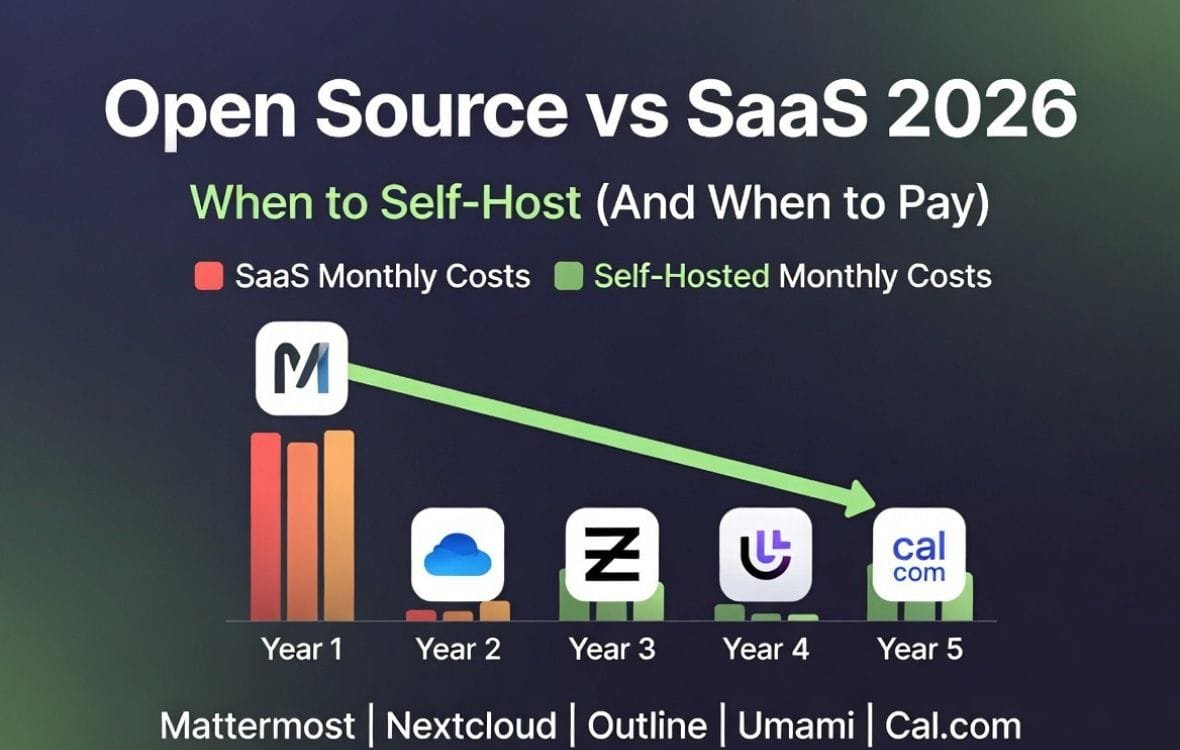
- Cost Comparison: Year 1 vs Year 5 Total Cost of Ownership
- 10 Open Source Alternatives to Popular SaaS Tools
- When to Self-Host (And When to Pay for SaaS)
- The Hidden Costs of Open Source – What Nobody Tells You
- How to Deploy Your First Self-Hosted Tool (Docker Compose Starter Stack)
- Frequently Asked Questions
Why Teams Are Leaving SaaS for Open Source
Three forces are driving the open source shift among SaaS founders and operators:
Force 1 – Subscription fatigue. The average SaaS company spends $3,000 to $10,000 per employee per year on software tools. A 20-person team is spending $60,000 to $200,000 annually. When growth slows, founders look at their SaaS bill and ask: “What can we self-host instead?”
Force 2 – Data privacy and compliance. GDPR, CCPA, and SOC 2 requirements are making data residency a real concern. Self-hosted tools keep customer data on servers you control — in your region, behind your firewall, with your encryption keys. For healthcare, legal, and financial services SaaS, this is often a compliance requirement, not a cost-saving choice.
Force 3 – Feature bloat. SaaS tools add features constantly. Most teams use 20 to 30 percent of the features they pay for. Open source alternatives often do one thing well — and nothing else. For teams that want simple, focused tools, open source is a feature, not a compromise.
Open Source vs SaaS: The 5 Key Trade-Offs
Before comparing specific tools, understand the five trade-offs that determine whether self-hosting is right for your team.
| Trade-off | SaaS | Open Source (Self-Hosted) |
|---|---|---|
| Cost | Predictable monthly subscription, scales linearly with team size | $0 software + server costs ($12–$200/month). Cheaper at scale, but engineering time adds hidden cost. |
| Control | Vendor controls uptime, features, and data access. | You control everything — data, uptime, features, and when to upgrade. |
| Maintenance | Zero — vendor handles updates, security patches, and backups. | You handle OS updates, Docker upgrades, security patches, and backups. Budget 2–10 hours per month. |
| Mobile experience | Polished native mobile apps for iOS and Android. | Web-only or community-built mobile apps. Rarely as polished as SaaS offerings. |
| Compliance | SOC 2, HIPAA, GDPR certifications provided by vendor. | You own compliance — you must certify your infrastructure and processes. |
The decision framework: Self-host when you have technical expertise in-house, cost savings matter more than convenience, and you are not subject to strict compliance audits (SOC 2, HIPAA). Pay for SaaS when you have no dedicated ops person, mobile apps are critical to your workflow, or you need vendor-provided compliance certifications.
Cost Comparison: Year 1 vs Year 5 Total Cost of Ownership
The table below shows real cost comparisons for replacing five common SaaS tools with open source alternatives. SaaS costs assume a 20-person team. Self-hosted costs assume a $12 DigitalOcean droplet (2GB RAM, 1 vCPU) plus 2 hours of engineering time per month at $100/hour (fully loaded cost).
| Category | SaaS tool | SaaS monthly cost (20 users) | Self-hosted alternative | Self-hosted monthly cost | Year 1 savings |
|---|---|---|---|---|---|
| Team chat | Slack | $160 (Pro plan) | Mattermost | $12 server + $200 eng time | Net negative |
| Video conferencing | Zoom | $300 (Business plan) | Jitsi Meet | $24 server + $200 eng time | $912 |
| Office suite | Google Workspace | $240 (Business Standard) | Nextcloud | $24 server + $200 eng time | $192 |
| Documentation | Notion | $240 (Team plan) | Outline | $12 server + $200 eng time | $336 |
| Email marketing | Mailchimp | $250 (10K contacts) | Mautic | $48 server + $400 eng time (complex) | Net negative |
The honest math: Self-hosting saves significant money only when you can consolidate multiple tools onto the same server and when your engineering time is not billed hourly (i.e., founders or salaried employees doing the maintenance). A single $24 server running Mattermost, Nextcloud, and Outline together costs $24/month — plus 2 to 4 hours of monthly maintenance. For a bootstrapped founder whose time is free, the savings are real. For a funded team paying a DevOps engineer $150/hour, self-hosting is often more expensive than paying for SaaS.
10 Open Source Alternatives to Popular SaaS Tools
The table below shows open source alternatives for eight common SaaS categories. Each includes a “best for” recommendation and deployment difficulty rating.
| SaaS tool | Open source alternative | Best for | Deployment difficulty |
|---|---|---|---|
| Slack | Mattermost | Teams with compliance needs (on-prem requirement) | Medium |
| Zoom / Meet | Jitsi Meet | Teams that control their own infrastructure | Easy (Docker) |
| Google Workspace | Nextcloud | Teams needing file sync, calendar, contacts | Medium |
| Notion / Confluence | Outline, Wiki.js, BookStack | Engineering teams that love Markdown (Outline) | Easy (Outline has one-click deploy) |
| Mailchimp / Brevo | Mautic, Listmonk | Teams with marketing ops expertise | Hard |
| GitHub (private repos) | GitLab CE, Gitea | Teams wanting CI/CD on self-hosted | Medium to Hard |
| Typeform / Tally | OhMyForm, Formbricks | Teams collecting unlimited form responses | Easy |
| Calendly | Cal.com | Teams wanting white-label scheduling | Easy |
| Help Scout / Intercom | Chatwoot, Papercups | Teams running customer support on a budget | Medium |
| Google Analytics | Matomo, Plausible, Umami | Privacy-conscious teams (GDPR compliance) | Easy |
✓ Best open source picks for bootstrapped teams
- Mattermost – Slack alternative with excellent mobile apps and enterprise features
- Outline – Notion alternative built for engineers (Markdown + Git sync)
- Cal.com – Calendly alternative with open source scheduling and white-label options
- Umami – Simple, privacy-focused Google Analytics alternative (2MB tracker)
- Chatwoot – Intercom alternative with multi-channel support (email, chat, WhatsApp)
✗ Open source tools to avoid unless you have dedicated ops
- Mautic – Powerful but complex; requires constant updates and email deliverability tuning
- GitLab CE – Resource-heavy; needs 4GB+ RAM and regular PostgreSQL maintenance
- Nextcloud (full suite) – Works well but talk and office features add significant complexity
When to Self-Host (And When to Pay for SaaS)
Use this decision framework to evaluate each tool category:
| Category | Self-host worth it? | Why |
|---|---|---|
| Team chat | Only for compliance | Slack is sticky. Self-hosted chat saves money but loses integrations and mobile polish. |
| Video conferencing | Yes, for bootstrapped teams | Jitsi is excellent and cheap to run. Zoom costs add up fast at scale. |
| Office suite | Yes, for 10+ users | Nextcloud pays for itself quickly. Collaboration features are solid. |
| Documentation | Yes, for engineering teams | Outline is fantastic. Markdown + Git workflow beats Notion for developers. |
| Email marketing | Rarely | Email deliverability is hard. Self-hosted solutions struggle with IP reputation. |
| Code hosting | Yes, for 5+ devs | GitLab CE saves money and gives you CI/CD on your own hardware. |
| Analytics | Yes, always | Umami and Plausible are lightweight, privacy-compliant, and cheap to run. |
The Hidden Costs of Open Source – What Nobody Tells You
Self-hosting saves subscription fees. It introduces other costs that SaaS founders often overlook:
Hidden cost 1 – Engineering time for maintenance. A self-hosted server requires weekly updates: security patches, Docker image updates, database backups, and log rotation. Budget 1 to 2 hours per week for a single server with 3 to 4 tools. At a fully loaded engineering cost of $100 per hour, that is $400 to $800 per month in hidden labor costs. For a bootstrapped founder doing the work themselves, the cost is not monetary — but it is time not spent on product development.
Hidden cost 2 – Backup and disaster recovery. SaaS tools back up your data automatically. Self-hosted tools do not. You need automated off-site backups, point-in-time recovery, and a documented restore process. Add $10 to $50 per month for backup storage (AWS S3, Backblaze B2) plus 1 hour per month testing restores.
Hidden cost 3 – SSL certificates and domain management. Let’s Encrypt makes SSL free, but certificate renewal automation (Certbot, Caddy) requires setup and monitoring. Expired certificates take down your self-hosted tools until someone notices and fixes them.
Hidden cost 4 – Security monitoring and intrusion detection. SaaS vendors have 24/7 security teams watching for breaches. You do not. A self-hosted server requires fail2ban, CrowdSec, or similar intrusion detection. Add 1 hour per month reviewing logs and updating rules.
Hidden cost 5 – Migration back to SaaS. If self-hosting does not work out, migrating data back to a SaaS tool can be painful. Export formats differ. Attachments may not transfer cleanly. Allow 1 to 2 weeks of engineering time for a full migration off a self-hosted platform.
How to Deploy Your First Self-Hosted Tool (Docker Compose Starter Stack)
This Docker Compose stack runs four essential open source tools on a single $24 DigitalOcean droplet (4GB RAM, 2 vCPUs). It is the starter stack for bootstrapped teams.
Prerequisites: A domain name (e.g., tools.yourcompany.com), a DigitalOcean account (or any VPS provider), and basic command-line comfort.
Step 1 – Create a VPS. Deploy a DigitalOcean droplet with Ubuntu 24.04, 4GB RAM, 2 vCPUs, and 80GB SSD. Cost: $24/month.
Step 2 – Install Docker and Docker Compose. SSH into your server. Run the Docker convenience script or follow the official installation guide.
Step 3 – Create a docker-compose.yml file. Copy the starter configuration below. It includes Traefik for automatic SSL, Outline for documentation, Umami for analytics, and Cal.com for scheduling. Add more tools by extending the compose file.
version: '3.8'
services:
  traefik:
    image: traefik:v3.0
    command:
      - "--providers.docker=true"
      - "--entrypoints.websecure.address=:443"
      - "--certificatesresolvers.letsencrypt.acme.tlschallenge=true"
      - "--certificatesresolvers.letsencrypt.acme.email=admin@yourcompany.com"
      - "--certificatesresolvers.letsencrypt.acme.storage=/letsencrypt/acme.json"
    ports:
      - "443:443"
    volumes:
      - "/var/run/docker.sock:/var/run/docker.sock"
      - "./letsencrypt:/letsencrypt"

  outline:
    image: outlinewiki/outline
    environment:
      - URL=https://docs.yourcompany.com
      - SECRET_KEY=your_secret_key_here
      - UTILS_SECRET=your_utils_secret_here
      - DATABASE_URL=postgres://outline:password@postgres:5432/outline
      - REDIS_URL=redis://redis:6379
    labels:
      - "traefik.http.routers.outline.rule=Host(`docs.yourcompany.com`)"
    depends_on:
      - postgres
      - redis

  umami:
    image: ghcr.io/umami-software/umami:postgresql-latest
    environment:
      - DATABASE_URL=postgresql://umami:password@postgres:5432/umami
      - DATABASE_TYPE=postgresql
      - APP_SECRET=your_app_secret_here
    labels:
      - "traefik.http.routers.umami.rule=Host(`analytics.yourcompany.com`)"
    depends_on:
      - postgres

  calcom:
    image: calcom/cal.com
    environment:
      - DATABASE_URL=postgresql://calcom:password@postgres:5432/calcom
      - NEXTAUTH_SECRET=your_nextauth_secret_here
      - NEXT_PUBLIC_WEBAPP_URL=https://cal.yourcompany.com
    labels:
      - "traefik.http.routers.calcom.rule=Host(`cal.yourcompany.com`)"
    depends_on:
      - postgres

  postgres:
    image: postgres:15
    environment:
      - POSTGRES_PASSWORD=your_postgres_password_here
    volumes:
      - postgres_data:/var/lib/postgresql/data

  redis:
    image: redis:7
    volumes:
      - redis_data:/data

volumes:
  postgres_data:
  redis_data:
Step 4 – Configure environment variables. Replace all `your_*` placeholders with secure values. Generate secrets using `openssl rand -base64 32`.
Step 5 – Deploy and test. Run `docker-compose up -d`. Wait 2 minutes for SSL certificates to provision. Visit each tool at your configured subdomains.
Step 6 – Set up backups. Add a cron job that runs `docker exec postgres pg_dumpall` and uploads the backup to S3 or Backblaze daily.
Ongoing maintenance: Run `docker-compose pull && docker-compose up -d` weekly to update all tools. Test the update on a staging server first if you have one.
Frequently Asked Questions
What is the difference between open source and SaaS?
Open source software is free to use, modify, and distribute. You run it on your own servers. SaaS (Software as a Service) is hosted and managed by a vendor. You pay a subscription to access it. Open source gives you control and potential cost savings. SaaS gives you convenience and vendor-managed maintenance, security, and compliance.
When does self-hosting save money compared to SaaS?
Self-hosting saves money when you can consolidate multiple tools onto the same server and when your engineering time is not a billable cost. A single $24 VPS running Mattermost, Nextcloud, Outline, and Umami costs $24/month plus 2 to 4 hours of monthly maintenance. For a bootstrapped founder doing the maintenance themselves, annual cost is $288 vs $5,000+ for equivalent SaaS tools. For a funded team paying a DevOps engineer $150/hour, self-hosting is more expensive.
What is the best open source alternative to Notion?
Outline is the best Notion alternative for engineering teams. It uses Markdown, syncs with Git, and feels like a developer tool rather than a general-purpose wiki. Wiki.js is a strong alternative for non-technical teams. BookStack is best for structured documentation (manuals, policies, procedures). For teams that want a true Notion clone, AnyType is promising but still in active development.
Is there an open source alternative to Slack?
Mattermost and Rocket.Chat are the leading Slack alternatives. Mattermost is more enterprise-focused with strong compliance features. Rocket.Chat has better integrations and a more modern interface. Both offer free self-hosted versions. The trade-off is mobile app quality — Slack’s mobile experience remains superior.
What is the best self-hosted Google Analytics alternative?
Umami is the best for most teams — lightweight (2MB tracker script), privacy-compliant (no cookies, no personal data), and easy to deploy. Plausible is similar but requires a paid subscription for cloud hosting (they also offer self-hosted). Matomo is the most feature-rich but significantly more complex to maintain. For bootstrapped teams, start with Umami.
How much does it cost to self-host a tool?
Server costs range from $6/month (1GB RAM, low-traffic tools) to $48/month (8GB RAM, multiple tools). Add $10 to $50 per month for off-site backups. Engineering time varies: 1 to 2 hours per week for a single server, plus 30 minutes for each additional server. The total cost is server + storage + engineering hours. Self-hosting is cheap when you do the work yourself, expensive when you pay someone else to do it.
Can I self-host email marketing tools?
Yes, but it is rarely worth the effort. Mautic and Listmonk are powerful open source email marketing platforms. However, email deliverability is the hard part. Self-hosted email servers have poor IP reputation unless you warm them up slowly. Most self-hosted email marketing users end up routing through SendGrid, AWS SES, or Postmark for sending — adding cost and complexity back into the stack. For most teams, SaaS email marketing tools (Mailchimp, Brevo, ConvertKit) are worth the subscription fee.
What is the learning curve for self-hosting?
Basic self-hosting (single server, Docker Compose, one to two tools) takes 10 to 20 hours to learn if you have no prior experience. Advanced self-hosting (multiple servers, load balancing, Kubernetes) takes months. Start small. Deploy Umami (analytics) or Cal.com (scheduling) first. Both have excellent documentation and simple Docker setups. Once you are comfortable, add more tools. Do not try to replace your entire SaaS stack at once.
Pricing note: All pricing information in this article is accurate as of May 2026 and subject to change. DigitalOcean, AWS, and other cloud provider pricing may vary by region. Always verify current hosting costs directly on each provider’s website before making a deployment decision.
More from Automaiva
- Zapier vs Make vs n8n: Which Automation Tool Pays for Itself Fastest at Your Usage Volume? (2026)
- SaaS Automation Breaking in Production? 5 Silent Failure Modes and How to Fix Them (2026)
- Full SaaS Security Stack Cost: What a 20-Person B2B Team Actually Spends in 2026
- How to Build a Lead Enrichment Workflow That Runs Itself: B2B SaaS Implementation Guide (2026)
- SaaS Automation Challenges: 3 Problems Every Startup Faces (And How to Fix Them)
Written by the Automaiva Editorial Team