Disclaimer: Platform capabilities, pricing tiers, and feature availability referenced in this article are based on publicly available information as of May 2026. Heatmap and session recording tool pricing changes frequently. Always verify current details directly on each vendor’s website before making a purchase decision. This article is for informational purposes only.
Editorial note: Automaiva selects and recommends tools based on independent research and real-world testing. We have no paid relationships with any vendor mentioned in this article. Affiliate links are clearly marked where present.
Heatmap tools for SaaS startups turn the question “why are users not clicking the signup button?” from a guess into a visual answer – showing you exactly where they scroll, where they hover, and where they abandon your pricing page.
The Hidden CTA Problem
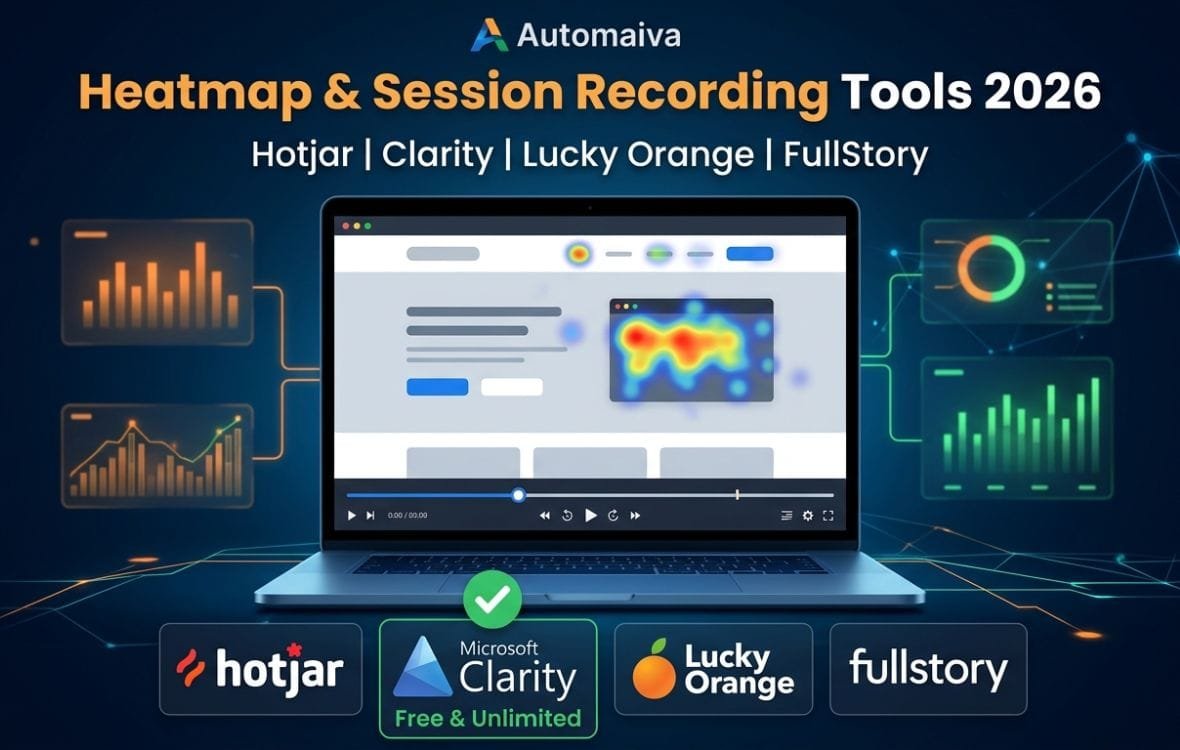
A founder at a 10‑person B2B SaaS startup could not figure out why his pricing page converted at 1.2 percent. The copy was clear. The design was clean. He added Hotjar and watched 20 session recordings. In 12 of them, users scrolled past the “Start Free Trial” button because it was the same color as the background. No click. No frustration. Just… nothing. He changed the button color to orange, and conversion rate climbed to 3.4 percent within two weeks. That is the power of session recordings and heatmaps. Product analytics tell you what users do. Heatmaps and recordings tell you why. This guide compares the four leading heatmap and session recording tools for SaaS startups under 200 employees: Hotjar (most popular), Microsoft Clarity (completely free), Lucky Orange (real‑time observation), and FullStory (enterprise‑grade replay). You will see real pricing at seed, Series A, and Series B scales, which tool fits your stage, and how to comply with privacy regulations. Figures based on vendor-published pricing as of May 2026 and may not reflect all team experiences.
A product manager at a growing SaaS company described her “aha” moment with heatmaps. Her team had run three A/B tests on their checkout page, and none moved the needle. She installed Lucky Orange and watched a session recording of a real user. The user clicked the “Add to Cart” button, but the page jumped slightly because of a delayed image load, causing them to click a banner ad instead. The user got frustrated and left. That was not a pricing problem – it was a layout shift problem. Her engineering team fixed the load order, and checkout completion rose by 15 percent.
Heatmaps and session recordings are not replacements for product analytics (Mixpanel, Amplitude). They are complementary. Analytics tell you that 40 percent of users drop off on the second step of onboarding. Recordings show you that the dropdown menu is broken on mobile. Together, they give you the complete picture. This guide walks through the four platforms that dominate this space for B2B SaaS startups.
About this guide: The Automaiva team analyzed pricing tiers, recording quality, privacy features, and real‑world usage for the leading heatmap and session recording platforms as of May 2026.
Table of Contents
- Why Your SaaS Product Needs Heatmaps and Session Recordings (Not Just Funnels)
- Hotjar – Best for All‑in‑One Qualitative Analytics
- Microsoft Clarity – Best Free Tool for Bootstrapped Startups
- Lucky Orange – Best for Real‑Time Visitor Observation
- FullStory – Best for Enterprise‑Grade Session Replay
- Pricing Comparison: Free Tiers and Paid Plans (Seed, Series A, Series B)
- Which Tool Fits Your Stage: Seed, Series A, Series B
- Privacy and Compliance – GDPR, CCPA, and Cookie Consent
- Frequently Asked Questions
Why Your SaaS Product Needs Heatmaps and Session Recordings (Not Just Funnels)
Product analytics (Mixpanel, Amplitude, PostHog) are excellent at telling you what users do. They show you drop‑off rates, conversion funnels, and retention cohorts. But they rarely tell you why a user abandoned the checkout page or why they never clicked the “Upgrade” button.
Heatmaps and session recordings fill that gap with three specific insights:
1. Click and rage‑click tracking. A heatmap shows you where users click most – and where they click repeatedly out of frustration. A cluster of rage clicks on a non‑clickable element is a clear signal that something is broken or confusing.
2. Scroll depth analysis. Do users scroll past your pricing table? Do they see your “Start Free Trial” button? A scroll map tells you exactly how far down the page users go before bouncing. If your CTA is below the fold and 80 percent of users never scroll that far, you have a layout problem, not a copy problem.
3. Session replays. Watching a recording of a real user navigating your product is worth 100 dashboard charts. You see the hesitation, the cursor wandering, the confused back‑and‑forth. You notice the subtle UI bug that makes the form field disappear. Recordings turn abstract metrics into human stories.
Hotjar – Best for All‑in‑One Qualitative Analytics
Hotjar is the most well‑known heatmap and session recording platform. Its strength is the breadth of features – heatmaps, recordings, surveys, feedback widgets, and funnels – all in one interface. Its weakness is that advanced features require higher‑priced plans, and the free tier is limited.
✓ Hotjar – What works well
- All‑in‑one platform – heatmaps, session recordings, surveys, feedback widgets
- Intuitive interface – non‑technical founders can use it immediately
- Funnel analysis with heatmaps overlaid on each step
- Integrates with Google Analytics, Segment, Zapier, and Slack
- Free tier includes 1,000 sessions per month
✗ Hotjar – Limitations to know
- Session recording sample rate limited on lower tiers
- Advanced features (funnels, heatmaps for SPAs) require Plus plan ($99+/month)
- Privacy compliance features (auto‑masking) require higher plans
- Less granular data than FullStory
Best for: Seed to Series A SaaS startups that want an all‑in‑one qualitative analytics tool. Teams that need heatmaps, recordings, and user feedback in the same platform.
Avoid if: You need extremely detailed session replay (choose FullStory). You are bootstrapped and need unlimited free recordings (choose Clarity).
Microsoft Clarity – Best Free Tool for Bootstrapped Startups
Microsoft Clarity is a completely free heatmap and session recording tool. It has no paid tier – all features are free forever. Clarity is backed by Microsoft and integrates with Google Analytics. Its strength is the generous free tier (unlimited sessions). Its weakness is that it lacks surveys, feedback widgets, and some advanced filtering.
✓ Microsoft Clarity – What works well
- Completely free – unlimited sessions, no credit card required
- Integrates with Google Analytics – see GA data alongside recordings
- Dashboard shows rage clicks, dead clicks, and quick backs
- Heatmaps, session recordings, and click maps included
- Privacy – automatically masks sensitive input fields
✗ Microsoft Clarity – Limitations to know
- No built‑in surveys or feedback widgets (use Hotjar for that)
- Session recording playback can be slower than competitors
- Less detailed filtering options than Lucky Orange
- Dashboard is less polished than Hotjar
Best for: Bootstrapped startups with zero budget. Any team that needs unlimited session recordings without paying. Teams already using Google Analytics that want to add qualitative data.
Avoid if: You need built‑in surveys or feedback widgets. You need real‑time visitor observation (choose Lucky Orange).
Lucky Orange – Best for Real‑Time Visitor Observation
Lucky Orange stands out for real‑time visitor observation – you can watch live sessions as users navigate your site. It also includes heatmaps, recordings, chat, surveys, and analytics. Its strength is the live view feature, which is invaluable for debugging or watching a new feature launch in real time. Its weakness is that the interface feels older than competitors.
✓ Lucky Orange – What works well
- Real‑time live view – watch users as they browse your site
- Dynamic heatmaps – update as users interact
- Form analytics – see where users abandon forms field by field
- Built‑in chat and survey tools
- GDPR and CCPA compliant with auto‑masking
✗ Lucky Orange – Limitations to know
- Interface feels dated compared to Hotjar or Clarity
- Pricing based on sessions – can become expensive at scale
- Smaller user community than Hotjar
Best for: Product managers who want to watch live sessions during feature launches or A/B tests. Teams that need form analytics to optimize lead generation.
Avoid if: You are on a tight budget – Clarity is free. You need a modern, polished interface.
FullStory – Best for Enterprise‑Grade Session Replay
FullStory is the most powerful session replay platform. It is built for scale – it captures every user interaction, indexes them for search, and provides advanced segmentation. Its strength is the depth of data (you can search for users who rage‑clicked on a specific button). Its weakness is price – FullStory is significantly more expensive than the others and is overkill for most early‑stage startups.
✓ FullStory – What works well
- Captures every user interaction – no sampling
- Searchable session playback – find sessions by user action, error, or frustration
- Frustration signals – rage clicks, dead clicks, error clicks
- Advanced segmentation by user cohort, device, location
- Integrates with Segment, Amplitude, and Google Analytics
✗ FullStory – Limitations to know
- Expensive – paid plans start at around $500/month
- Overkill for early‑stage startups (under 10,000 sessions/month)
- No built‑in surveys or feedback tools
- Implementation is heavier than other options
Best for: Series B and later SaaS startups with 100,000+ monthly sessions and a dedicated product ops team. Companies that need forensic‑level session analysis.
Avoid if: You are under 50,000 sessions per month. You have a limited budget.
Pricing Comparison: Free Tiers and Paid Plans (Seed, Series A, Series B)
The table below shows estimated monthly pricing for each platform at typical session volumes. All prices exclude annual discounts (typically 15‑30% off).
| Platform | Free tier | Seed (5K sessions/month) | Series A (50K sessions/month) | Series B (500K sessions/month) |
|---|---|---|---|---|
| Hotjar | Yes (1K sessions) | $99 (Plus) – $199 (Business) | $199 – $399 (Scale) | Custom enterprise pricing |
| Clarity | Yes (unlimited) | $0 | $0 | $0 |
| Lucky Orange | Yes (500 sessions) | $49 (Pro) – $99 (Business) | $199 – $499 | Custom |
| FullStory | Yes (1K sessions) | $500+ (Business) | $1,000 – $2,500 | $5,000+ (Enterprise) |
All prices exclude annual discounts and overage fees. Session volume estimates vary by plan. Verify current pricing directly with each vendor. Microsoft Clarity is completely free with no session limits.
Which Tool Fits Your Stage: Seed, Series A, Series B
Seed stage ($0‑2M ARR, under 5,000 monthly sessions, no dedicated product ops): Start with Microsoft Clarity. It is completely free, easy to set up, and gives you heatmaps and session recordings. If you need surveys and feedback widgets, add Hotjar free tier (1,000 sessions) alongside Clarity. Avoid paying for heatmaps at this stage.
Series A ($2‑10M ARR, 5,000‑50,000 sessions, first product hire): Upgrade to Hotjar Plus ($99/month) or Lucky Orange Business ($99/month) depending on your preference for all‑in‑one (Hotjar) vs. real‑time live view (Lucky Orange). Stick with Clarity if you are happy with it and do not need surveys. FullStory is overkill and too expensive.
Series B ($10M+ ARR, 50,000+ sessions, dedicated product ops team): Consider FullStory if you need forensic session analysis and have the budget ($500+/month). Hotjar Scale ($399/month) is a strong alternative if you prefer Hotjar’s interface. Lucky Orange can also scale but is less common at this tier. Clarity remains viable if you have simple needs and want to keep costs at zero.
Privacy and Compliance – GDPR, CCPA, and Cookie Consent
Heatmaps and session recordings collect user interaction data, which triggers privacy regulations like GDPR (Europe) and CCPA (California). All four platforms offer compliance features, but you must implement them correctly.
Key privacy requirements:
- Cookie consent: You must obtain consent before loading tracking scripts in Europe. Most platforms provide a consent management integration (e.g., with Cookiebot, OneTrust).
- Data masking: Automatically mask sensitive input fields (passwords, credit card numbers, personal information). Hotjar, Clarity, Lucky Orange, and FullStory all support auto‑masking.
- IP anonymization: Anonymize IP addresses before storing session data. All four platforms support this.
- Data retention: Set automatic deletion of session recordings after a defined period (e.g., 90 days). Check each platform’s retention settings.
Before implementing any heatmap tool, consult your legal counsel and ensure you have proper cookie consent banners on your site. Failure to comply can result in fines (GDPR fines up to €20 million or 4 percent of global revenue).
Frequently Asked Questions
What is the best free heatmap tool for SaaS startups?
Microsoft Clarity is the best free heatmap and session recording tool. It offers unlimited sessions, heatmaps, click maps, and scroll maps – all completely free. Hotjar also has a free tier (1,000 sessions per month) but is more limited. For most bootstrapped startups, Clarity alone is sufficient.
What is the difference between heatmaps and session recordings?
Heatmaps show aggregated visual data – where users click (click map), how far they scroll (scroll map), and where they hover (move map). Session recordings are individual replays of a single user’s journey through your site. Heatmaps tell you what users do at scale. Recordings tell you why a specific user struggled. Use both together for the complete picture.
How much does Hotjar cost for a SaaS startup?
Hotjar’s free tier includes 1,000 sessions per month. Paid plans start at $99 per month (Plus) for 10,000 sessions, up to $399 per month (Scale) for 150,000 sessions. Enterprise plans are custom. For most seed‑stage startups, the free tier or Plus plan is sufficient. For Series A, Scale plan ($399/month) is common.
Is Microsoft Clarity really free?
Yes. Microsoft Clarity is completely free, with no session limits, no hidden fees, and no paid upgrade path. It is backed by Microsoft and monetized through Azure insights, not through charging users. It is safe for startups to use indefinitely.
Can I use heatmap tools without violating GDPR?
Yes, but you must implement proper cookie consent. Most heatmap tools (Hotjar, Clarity, Lucky Orange, FullStory) offer GDPR‑compliant features: auto‑masking of sensitive data, IP anonymization, and data retention controls. You must also have a cookie consent banner that obtains opt‑in consent before loading the tracking script. Consult your legal counsel before deploying.
What is the best session recording tool for product‑led growth SaaS?
FullStory is the most powerful for product‑led growth SaaS because it captures every user interaction and makes sessions searchable by event (e.g., “users who clicked upgrade but not checkout”). However, FullStory is expensive ($500+/month). For early‑stage PLG startups, Hotjar or Lucky Orange are more affordable alternatives.
How do I know which heatmap tool to choose?
Start with Microsoft Clarity (free). If you find yourself needing surveys, feedback widgets, or more granular data, upgrade to Hotjar Plus ($99/month). If you need real‑time live view, choose Lucky Orange. If you have a Series B budget and need forensic session replay, choose FullStory. The best tool depends on your stage and specific needs.
Pricing note: All pricing information in this article is accurate as of May 2026 and subject to change. Always verify current pricing directly on each vendor’s official website before making a purchase decision.
More from Automaiva
- Mixpanel vs Amplitude vs PostHog vs Heap for B2B SaaS 2026
- Best Analytics Tools for SaaS Startups 2026: Mixpanel vs Amplitude vs PostHog vs Heap
- Best CRM for SaaS Startups 2026: HubSpot vs Pipedrive vs Attio vs folk
- Best AI Tools for SaaS Startups 2026: 12+ Tools Compared
- SaaS Growth Stack: Tools Every Startup Needs in 2026
Written by the Automaiva Editorial Team