
Disclaimer: Platform capabilities, pricing tiers, and feature availability referenced in this article are based on publicly available information as of June 2026. Knowledge base software pricing changes frequently. Always verify current details directly on each vendor’s website before making a purchase decision. This article is for informational purposes only.
Editorial note: Automaiva selects and recommends tools based on independent research and real-world testing. We have no paid relationships with any vendor that affect our editorial conclusions. Affiliate links are used where noted.
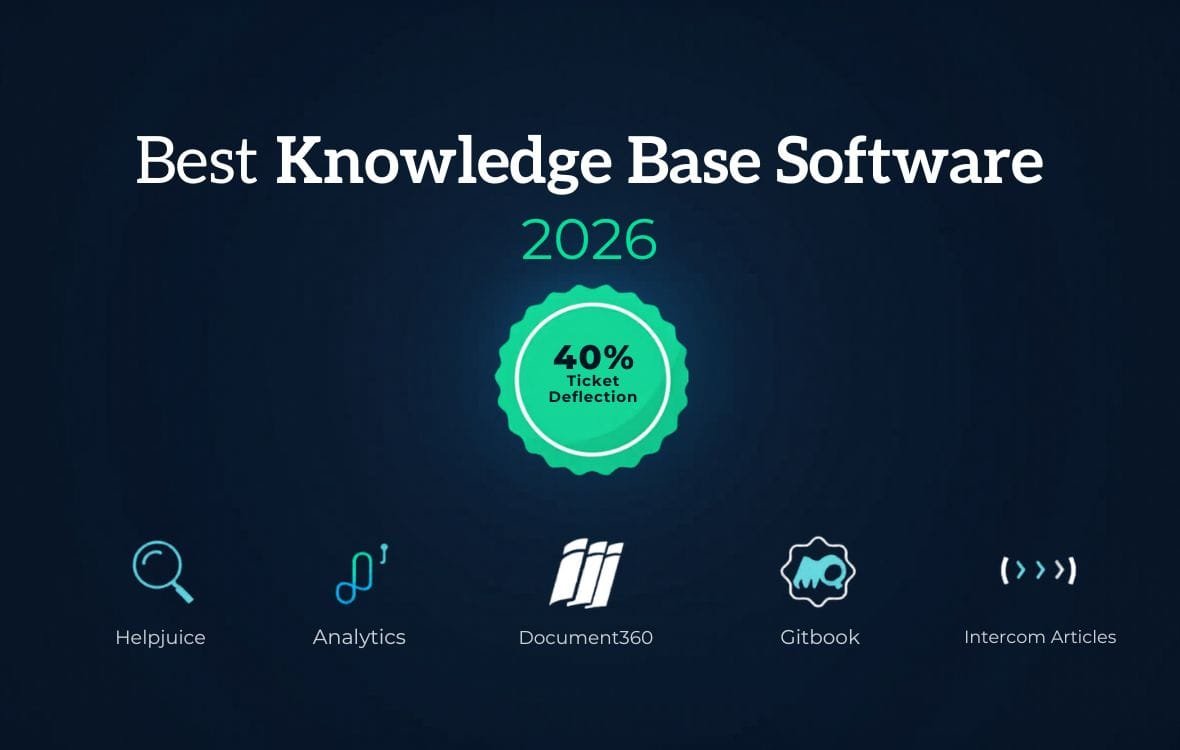
Knowledge base software for SaaS startups turns your most common support questions into a self‑service help center that deflects up to 40 percent of tickets – saving your support team hours every day and giving customers answers in seconds, not hours.
The 40% Ticket Deflection That Changed Everything
A founder at a 25‑person B2B SaaS startup was drowning in support tickets. His team of two support agents was answering the same questions every day: “How do I reset my password?” “How do I invite teammates?” “What does this error mean?” He implemented Helpjuice and created a searchable help center. Within 60 days, support ticket volume dropped by 40 percent. His agents focused on complex technical issues instead of password resets. Customer satisfaction scores increased. This guide compares the four leading knowledge base platforms for customer‑facing help centers: Helpjuice (best AI search), Document360 (best for developer docs), Gitbook (best for open source and API docs), and Intercom Articles (best if you already use Intercom). You will see real pricing, feature comparisons, and which tool fits your stage. Plus a separate section on internal wikis (Notion, Slab) for teams that also need internal documentation. Figures based on vendor-published pricing as of June 2026 and may not reflect all team experiences.
A support lead at a 50‑person SaaS company described her knowledge base journey. Her team answered 1,200 tickets per month. 500 of them were basic “how‑to” questions answered in their product documentation. She built a knowledge base using Document360. Within three months, those 500 tickets dropped to 150. Her team saved 30 hours per month. Customer satisfaction scores went up because customers found answers instantly instead of waiting 4 hours for an email response.
Knowledge base software is not a nice‑to‑have feature. It is the single highest‑ROI investment a support team can make after hiring their first agent. A good knowledge base deflects 20‑40 percent of support tickets, reduces time‑to‑answer from hours to seconds, and improves customer satisfaction without adding headcount.
About this guide: The Automaiva team analysed knowledge base platforms based on real B2B SaaS deployments, comparing setup time, AI search quality, analytics, integrations, and pricing as of June 2026.
Table of Contents
- Why Your SaaS Startup Needs a Knowledge Base (Not Just a FAQ Page)
- Helpjuice – Best for AI‑Powered Search and Analytics
- Document360 – Best for API‑First and Developer Documentation
- Gitbook – Best for Open Source and API Docs
- Intercom Articles – Best if You Already Use Intercom
- Internal Wikis: Notion vs Slab (Honorable Mention)
- Pricing & Feature Comparison Table (Free Trials vs Paid Plans)
- Which Tool Fits Your Stage: Seed, Series A, Series B
- Frequently Asked Questions
Why Your SaaS Startup Needs a Knowledge Base (Not Just a FAQ Page)
An FAQ page is a static list of questions and answers. It is hard to search, hard to update, and hard to measure. A knowledge base is a dynamic, searchable help center that integrates with your support tools and tracks what works.
The three reasons every B2B SaaS startup needs a dedicated knowledge base:
1. Ticket deflection. A well‑built knowledge base deflects 20‑40 percent of support tickets. Customers find answers instantly instead of emailing support. Your agents focus on complex issues instead of password resets.
2. Analytics that show gaps. Knowledge base platforms track what customers search for, what articles they read, and where they drop off. You learn exactly what documentation is missing or unclear – and fix it.
3. SEO benefits. Help center articles rank in Google searches. A customer searching for “how to export data from [your product]” finds your help article organically, learns to use the feature, and never submits a ticket.
Dedicated knowledge base software includes AI search, analytics, custom domains, and integrations with your support ticketing system (Intercom, Zendesk, Help Scout).
Helpjuice – Best for AI‑Powered Search and Analytics
Helpjuice is the best knowledge base platform for SaaS startups that need powerful AI search and deep analytics. Its search engine learns from customer behaviour – if users click the third result instead of the first, the AI learns to promote the better article. It also tracks what users search for but cannot find, so you know exactly what documentation to write next.
✓ Helpjuice – What works well
- AI search that learns from user clicks – improves over time
- Detailed analytics – see failed searches, popular articles, user satisfaction
- Custom branding and custom domain on all paid plans
- Integrates with Intercom, Zendesk, Slack, and 1,000+ apps via Zapier
- WYSIWYG editor with version history and collaboration
- 14‑day free trial, no credit card required
✗ Helpjuice – Limitations to know
- Starter plan limits to 5 team members – enterprise features require higher tiers
- No free plan – only 14‑day trial
- Pricing jumps significantly from Starter to Pro ($120 to $200/month)
- Less suitable for API documentation than Document360
Pricing (June 2026): Starter: $120/month (5 team members, custom domain). Pro: $200/month (unlimited team members, AI search, advanced analytics). Enterprise: custom pricing.
Best for: SaaS startups that need powerful AI search and deep analytics to continuously improve their help center. Teams that want to track exactly what customers search for and cannot find.
Avoid if: You need a free plan. You primarily publish API or developer documentation (choose Document360 or Gitbook).
Document360 – Best for API‑First and Developer Documentation
Document360 is the best knowledge base platform for SaaS startups that publish API reference documentation, developer guides, or technical documentation. Its support for versioning, code highlighting, and OpenAPI (Swagger) import makes it the choice for developer‑facing products.
✓ Document360 – What works well
- API documentation features – versioning, code highlighting, OpenAPI import
- AI search and AI article suggestions included
- Project‑based structure – manage multiple products in one account
- Built‑in feedback widgets – readers can rate articles and leave comments
- Integrates with Intercom, Zendesk, Slack, and 50+ other tools
- Free tier available (limited features)
✗ Document360 – Limitations to know
- More complex than Helpjuice – steeper learning curve
- Pricing based on number of projects and team members – can be expensive
- Free tier has Document360 branding
- Overkill for simple, non‑technical help centers
Pricing (June 2026): Free tier (1 project, up to 50 articles, Document360 branding). Professional: $149/month (2 projects, unlimited articles, custom domain). Business: $249/month (5 projects, AI search, advanced analytics). Enterprise: custom pricing.
Best for: SaaS startups publishing API documentation, developer docs, or technical content. Teams with multiple products or projects needing separate help centers.
Avoid if: You just need a simple, non‑technical help center. You have a tight budget and cannot pay $149+/month.
Gitbook – Best for Open Source and API Docs
Gitbook is a popular documentation platform for open source projects and API docs. It is best known for its clean, minimal interface and Git integration (sync with GitHub or GitLab). It is the most affordable option for teams already using Git for documentation.
✓ Gitbook – What works well
- Git integration – sync with GitHub or GitLab, write in Markdown
- Free for open source projects
- Clean, minimalist design – loved by developers
- Versioning and change history built in
- Search and analytics included
- Paid plans start at $10/month – most affordable option
✗ Gitbook – Limitations to know
- Less customer support than Helpjuice or Document360
- Fewer integrations with support ticketing systems
- Not ideal for non‑technical teams – requires understanding of Markdown or Git
- Limited customisation compared to higher‑priced competitors
Pricing (June 2026): Free for open source projects and teams of up to 3. Paid plans start at $10/month (unlimited team members, custom domain, SSO).
Best for: Open source SaaS projects, developer‑focused products, and teams already using GitHub for documentation.
Avoid if: Your team is non‑technical and prefers a WYSIWYG editor. You need deep support ticketing integrations.
Intercom Articles – Best if You Already Use Intercom
Intercom Articles is the knowledge base feature built into Intercom. It is not a standalone product – it is included with Intercom’s support plans. It is the best choice for SaaS startups that already use Intercom for customer support and want a help center that works seamlessly with their existing tickets, chats, and customer data.
✓ Intercom Articles – What works well
- Native Intercom integration – articles appear inside the messenger and help center
- Fin AI can answer questions directly from your knowledge base
- No separate knowledge base subscription – included with Intercom plans
- Analytics show which articles are viewed and which tickets could have been deflected
- WYSIWYG editor with collaboration tools
✗ Intercom Articles – Limitations to know
- Not a standalone product – requires Intercom subscription ($74+/month)
- Less flexible than dedicated knowledge base tools
- Limited customisation – no advanced theming or custom domains
- No API documentation or versioning features
Pricing: Included with Intercom Support plans (starting at $74/month per seat). No separate fee.
Best for: SaaS startups already using Intercom for customer support. Teams that want a simple, integrated help center without adding another vendor.
Avoid if: You are not an Intercom customer. You need advanced documentation features (API docs, versioning, OpenAPI import).
Internal Wikis: Notion vs Slab (Honorable Mention)
The tools above are for customer‑facing knowledge bases – help centers for your users. Internal wikis are for your own team: onboarding documents, process guides, engineering docs, and company policies. Notion and Slab are the leading internal wiki platforms.
Notion is the most flexible internal wiki. It combines docs, databases, project tracking, and notes in one workspace. It is best for teams that want a single source of truth for both docs and task management. Free for small teams; paid plans start at $10/user/month.
Slab is a dedicated internal wiki built specifically for documentation. It is simpler than Notion, with better search and organisation. It is best for teams that want a pure internal wiki without project management features. Paid plans start at $6.67/user/month.
Do not use Notion or Slab as your customer‑facing knowledge base. They lack analytics, AI search, customer feedback, and integrations with support ticketing tools. Use them for internal docs only.
Pricing & Feature Comparison Table (Free Trials vs Paid Plans)
| Platform | Free plan | Paid start | Typical monthly (startup) | AI search | API docs |
|---|---|---|---|---|---|
| Helpjuice | 14‑day trial | $120 | $120‑$200 | ✅ Yes (advanced) | Basic |
| Document360 | ✅ (branded) | $149 | $149‑$249 | ✅ Yes | ✅ Excellent |
| Gitbook | ✅ (open source) | $10 | $10‑$50 | Basic | ✅ Good |
| Intercom Articles | No (Intercom required) | $74/seat | $74‑$200+ | Via Fin AI | No |
All pricing based on published vendor rates as of June 2026. Intercom pricing excludes Fin AI add‑ons. Verify current pricing directly with each vendor.
Which Tool Fits Your Stage: Seed, Series A, Series B
Seed stage (0‑$2M ARR, no dedicated support team): Start with Gitbook free tier (if you have open source docs) or Intercom Articles (if already on Intercom). Document360 free tier is also an option if you can accept branding. Avoid paying for knowledge base software until you have at least 100 monthly support tickets.
Series A ($2‑$10M ARR, first dedicated support hire): Helpjuice at $120‑$200/month or Document360 at $149‑$249/month depending on your needs. Choose Helpjuice for AI search and analytics. Choose Document360 for API documentation. Gitbook paid ($10‑$50/month) is a budget option if you have developer‑friendly docs.
Series B ($10M+ ARR, full support team): Helpjuice Enterprise or Document360 Enterprise depending on your feature needs. If you are heavily invested in Intercom, stick with Intercom Articles and add their Fin AI for ticket deflection. Expect to pay $200‑$500+/month for enterprise features.
Frequently Asked Questions
What is the best knowledge base software for a SaaS startup?
For most B2B SaaS startups, Helpjuice is the best all‑around choice – strong AI search, deep analytics, and easy setup. For API‑focused products, Document360 is better. For open source or developer‑focused products, Gitbook is excellent and affordable. For Intercom users, Intercom Articles is the obvious choice.
How much does knowledge base software cost?
Prices range from free (Gitbook open source, Document360 free tier) to $10‑$50/month (Gitbook paid) to $120‑$250/month (Helpjuice and Document360 professional plans) to $500+/month for enterprise. Most seed‑stage startups should aim for free tiers or budget $100‑$150/month.
Can I use Notion as a customer knowledge base?
You can, but you should not. Notion lacks AI search, analytics, customer feedback, and support ticketing integrations. Your customers will struggle to find answers, and you will have no data on what documentation is missing. Use Notion for internal wikis only.
What is the difference between a knowledge base and an internal wiki?
A knowledge base is customer‑facing – it helps users self‑serve. An internal wiki is employee‑facing – it helps your team document processes, policies, and engineering docs. This article focuses on customer‑facing knowledge bases (Helpjuice, Document360, Gitbook, Intercom Articles). For internal wikis, consider Notion or Slab.
Which knowledge base software has the best AI search?
Helpjuice has the most advanced AI search – it learns from user clicks and promotes better results over time. Document360 also has good AI search. Gitbook has basic search. Intercom Articles rely on Fin AI for answering questions from articles.
How quickly can I set up a knowledge base?
Helpjuice and Document360 can be set up in 1‑2 hours. Gitbook takes 30 minutes if you are familiar with Git. Intercom Articles are pre‑integrated if you already use Intercom – just start writing articles. The time‑consuming part is writing the content, not setting up the software.
Can I migrate from one knowledge base to another?
Yes, but migration is manual. You will need to export articles as HTML or Markdown and import them into the new platform. Most teams migrate from Gitbook to Document360 when they need more features, or from Notion to Helpjuice when they need a customer‑facing help center. Plan for 1‑2 weeks of migration time.
Pricing note: All pricing information in this article is accurate as of June 2026 and subject to change. Always verify current pricing directly on each vendor’s official website before making a purchase decision.
More from Automaiva
- Intercom vs Zendesk vs Freshdesk vs Help Scout 2026 – The Hidden Cost Guide for SaaS Teams
- SaaS Churn Prevention: Build an Automated Early Warning System That Saves Accounts (2026)
- AI Sales Prospecting Tools for SaaS 2026: 7 Platforms That Find Qualified Leads
- Best Workflow Automation Tools for SaaS Teams 2026: A Curated Guide
- SaaS Security 2026: Founders’ Guide to Compliance, Access Control, and Data Protection
Written by the Automaiva Editorial Team