
Disclaimer: Pricing tiers, operation limits, and platform capabilities referenced in this article are based on publicly available information and user-reported data as of April 2026. Automation tool pricing changes frequently. Always verify current pricing directly on each vendor’s website before making a purchase decision.
Affiliate disclosure: Some links in this article are affiliate links. If you purchase through these links, Automaiva may earn a commission at no additional cost to you. Our recommendations are based on independent research and real-world testing. We do not accept payment for placement in our comparisons.
Last updated: April 2026
The Hard Truth
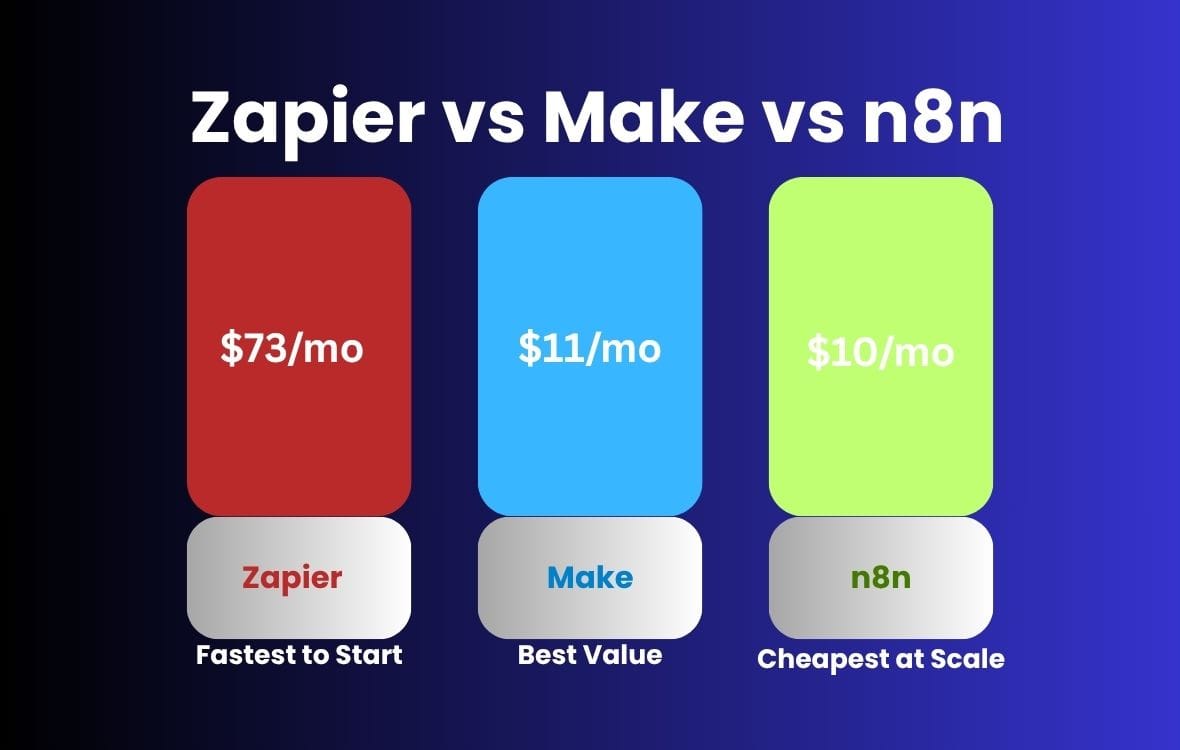
Most SaaS teams pick their automation platform based on a free trial and a YouTube tutorial — then spend the next 12 months paying for the wrong plan as their operation volume grows. Zapier is the fastest to start but the most expensive to scale. Make is 3 to 4 times cheaper at mid-volume. n8n self-hosted eliminates the per-operation cost entirely once your team can manage infrastructure. The right tool is not the one with the best interface — it is the one that pays for itself at your specific monthly operation count. This guide shows you exactly where each platform crosses the break-even line. Figures based on aggregated user-reported data and may not reflect all team experiences.
Your automation stack is not a set-and-forget decision. Every time you add a new Zap, a new scenario, or a new workflow, you move up a pricing tier. At low volume, the differences between Zapier, Make, and n8n are negligible. At 10,000 operations per month, the cost gap between the most and least expensive option exceeds $3,000 per year — enough to fund a part-time ops hire.
This guide does what almost no other comparison does: it maps the exact operation volume crossover points where each platform becomes cheaper than its competitors, includes the hidden costs most reviewers skip, and shows you how to calculate your specific ROI before you commit to an annual plan.
About this guide: The Automaiva team analyzed pricing tiers, operation limits, and total cost of ownership across Zapier, Make, and n8n for B2B SaaS teams running between 1,000 and 100,000 monthly operations. All pricing is sourced directly from vendor websites as of April 2026.
Table of Contents
- What Counts as an Operation — and Why It Matters More Than You Think
- The Cost Crossover Table: Where Each Platform Gets Cheaper
- Zapier — Best for Speed, Worst for Scale
- Make — Best Price-to-Power Ratio at Mid-Volume
- n8n — Best Total Cost Ownership for Technical Teams
- Hidden Costs Nobody Talks About
- How to Calculate Your Automation ROI Before You Buy
- Which Platform Pays for Itself Fastest at Your Stage
- Frequently Asked Questions
What Counts as an Operation — and Why It Matters More Than You Think
An operation is not the same thing across all three platforms — and this definitional difference is where most cost comparisons go wrong.
On Zapier, one task equals one action step completed by a Zap. A three-step Zap that triggers on a new HubSpot contact, enriches it in Clearbit, and creates a Slack notification consumes three tasks per run — not one. On a 1,000-contact import, that single workflow burns 3,000 tasks.
On Make, one operation equals one module execution. The same three-step scenario consumes three operations per run — identical counting method to Zapier, but at a significantly lower price per operation at every tier above the free plan.
On n8n, the counting model depends entirely on your deployment. Cloud plans charge per workflow execution, not per step — meaning that same three-step workflow costs one execution regardless of how many nodes it contains. Self-hosted n8n has no per-operation cost at all — you pay only for your server infrastructure.
The Cost Crossover Table: Where Each Platform Gets Cheaper
The break-even analysis below uses each platform’s lowest paid tier that supports the stated operation volume, excluding free tiers. All figures are based on monthly billing — annual billing reduces costs by 16 to 25 percent depending on the platform.
| Monthly operations | Zapier cost | Make cost | n8n Cloud cost | n8n Self-hosted | Cheapest option |
|---|---|---|---|---|---|
| Under 750 | Free | Free | Free (limited) | ~$5–10/mo (server) | Zapier or Make free |
| 750 – 2,000 | $29.99/mo | $10.59/mo | $20/mo | ~$5–10/mo | Make Core |
| 2,000 – 10,000 | $73.50/mo | $10.59–$18.82/mo | $20–$50/mo | ~$10–20/mo | Make Core / Pro |
| 10,000 – 50,000 | $103.50+/mo | $18.82–$34.29/mo | $50/mo | ~$20–40/mo | Make Pro or n8n self-hosted |
| 50,000 – 100,000 | $200+/mo | $34.29–$84/mo | $50–$120/mo | ~$40–80/mo | n8n self-hosted |
| 100,000+ | Custom / $400+/mo | $84+/mo | Custom | ~$80–150/mo | n8n self-hosted by far |
All pricing based on monthly billing as of April 2026. Annual billing reduces costs 16 to 25 percent. Server cost estimates for n8n self-hosted assume a basic VPS (DigitalOcean, Hetzner, or Railway). Individual costs will vary based on workflow complexity and premium app connector requirements.
The crossover point where Make becomes definitively cheaper than Zapier is at 750 operations per month — essentially the moment you move off the free tier. The crossover where n8n self-hosted beats Make on total cost of ownership happens around 20,000 to 30,000 operations per month, at which point the server cost is roughly equivalent to Make Pro but you have no operation ceiling at all.
Zapier — Best for Speed, Worst for Scale
Zapier is the best automation platform for teams that need to ship workflows in hours rather than days, because its 7,000-plus native integrations, pre-built Zap templates, and no-code editor require zero technical skill to use productively from day one.
✓ Pros
- Largest native integration library — 7,000-plus apps with no API configuration required
- Fastest time to first working workflow — most teams ship in under 30 minutes
- Pre-built Zap templates eliminate blank-canvas paralysis for common use cases
- Best-in-class documentation and community support — answers exist for virtually every use case
- AI-powered Zap builder drafts workflows from a plain-English description
- SOC 2 Type II certified — enterprise security posture for regulated industries
✗ Cons
- Most expensive platform per operation at every volume above 750 tasks per month
- Task counting is per step — multi-step Zaps burn credits 3 to 5 times faster than expected
- No native branching logic on lower tiers — conditional paths require a paid plan
- Workflow version history is limited — rolling back a broken Zap requires manual reconstruction
- Premium app connectors (Salesforce, Marketo, some others) cost extra credits or require higher plans
Zapier pricing breakdown (monthly billing): Free plan includes 100 tasks and 5 single-step Zaps. Starter at $29.99/month covers 750 tasks and unlimited Zaps. Professional at $73.50/month covers 2,000 tasks. Team at $103.50/month covers 25 seats and 2,000 tasks. Enterprise pricing requires a sales call. See current Zapier pricing →
ROI reality check: Zapier pays for itself fastest in the 0 to 750 task range where the free plan covers most early-stage needs. Once you breach 750 tasks per month, every dollar spent on Zapier buys fewer operations than the same dollar on Make. The ROI case for staying on Zapier at scale is convenience and integration breadth — not cost efficiency.
Best for: Non-technical founders and operators who need workflows live today, run under 2,000 operations per month, and value integration breadth over cost efficiency. If you cannot name a specific technical person responsible for maintaining your automation stack, Zapier is almost certainly the right choice for your current stage.
Try Zapier Free →
Free trial terms and availability vary by plan. Confirm current offer details on the vendor’s website.
Make — Best Price-to-Power Ratio at Mid-Volume
Make is the best automation platform for mid-volume SaaS teams because it delivers Zapier-equivalent workflow capability at 3 to 4 times lower cost per operation, with a visual scenario builder that non-technical operators can learn in an afternoon.
✓ Pros
- 3 to 4 times cheaper than Zapier at equivalent operation volumes above 750/month
- Visual drag-and-drop scenario builder with native branching, filtering, and error handling
- 1,000-plus app integrations — covers all major SaaS tools without custom API work
- Scenario versioning and rollback built in — broken workflows are recoverable
- Data stores allow scenarios to read and write persistent data without an external database
- Webhook support on all paid plans — no premium tier required for inbound triggers
✗ Cons
- Steeper initial learning curve than Zapier — the visual builder takes 2 to 3 hours to feel comfortable
- Smaller integration library than Zapier — some niche SaaS tools require HTTP module workarounds
- Error notifications are less intuitive than Zapier’s — debugging complex scenarios takes longer
- No AI-assisted workflow builder at the level Zapier now offers
- Free plan is limited to 1,000 operations per month and 2 active scenarios
Make pricing breakdown (monthly billing): Free plan includes 1,000 operations and 2 active scenarios. Core at $10.59/month covers 10,000 operations. Pro at $18.82/month covers 10,000 operations with advanced features. Teams at $34.29/month adds multiple users. Enterprise pricing for custom operation volumes. See current Make pricing →
ROI reality check: Make pays for itself fastest in the 2,000 to 50,000 operation range. A team running 10,000 operations per month pays $10.59 on Make Core versus $103.50 on Zapier Team — a $92.91 monthly saving or $1,114.92 per year from a single tier comparison. That annual saving funds roughly 11 months of Make Pro with money left over. Figures based on publicly listed pricing as of April 2026 and may not reflect all team experiences.
Best for: Growth-stage SaaS teams running 2,000 to 50,000 operations per month who have at least one moderately technical person — a growth marketer, RevOps manager, or ops generalist — willing to invest a few hours in learning the scenario builder. The learning curve pays back within one billing cycle at mid-volume.
Try Make Free →
Free trial terms and availability vary by plan. Confirm current offer details on the vendor’s website.
n8n — Best Total Cost of Ownership for Technical Teams
n8n is the best automation platform for technical SaaS teams because its self-hosted deployment eliminates per-operation pricing entirely — making it the only option where your automation cost stays flat regardless of how much your workflow volume grows.
✓ Pros
- Self-hosted deployment has no per-operation cost — scale to unlimited workflows for server cost only
- Code nodes allow custom JavaScript or Python inside any workflow — no external function needed
- 400-plus native integrations with full HTTP module for any REST API without a native connector
- Open source — inspect, fork, and modify the codebase for custom enterprise requirements
- n8n Cloud starts at $20/month with per-execution pricing that beats Zapier at equivalent workflow complexity
- GDPR-compliant by design — self-hosted means your data never leaves your infrastructure
✗ Cons
- Self-hosted requires server setup, maintenance, and monitoring — not viable for non-technical teams
- Smaller pre-built template library than Zapier or Make — more workflows require building from scratch
- Community support is strong but official support is limited to paid cloud plans
- Steeper learning curve than Make — JavaScript familiarity significantly improves productivity
- Debugging complex workflows with custom code nodes requires developer skills
n8n pricing breakdown: Self-hosted is free and open source — you pay only for server infrastructure (typically $5 to $80 per month on a VPS depending on workflow volume). n8n Cloud Starter at $20/month covers 2,500 workflow executions. Pro at $50/month covers 10,000 executions. Enterprise pricing for unlimited usage. See current n8n pricing →
ROI reality check: n8n self-hosted pays for itself fastest for teams running more than 20,000 operations per month with a developer or technical ops person available to manage infrastructure. The break-even on self-hosting versus Make Pro occurs around the 15,000 to 25,000 operation range — below that, Make’s managed infrastructure is cheaper when you factor in setup and maintenance time. Above that threshold, n8n self-hosted is unambiguously the most cost-efficient option on this list.
Best for: Technical SaaS teams with a developer or DevOps resource available, running high-volume workflows (20,000-plus operations per month), or teams in regulated industries (healthcare, finance, legal) where data must stay on your own infrastructure for compliance reasons.
Start with n8n Free →
Free trial terms and availability vary by plan. Confirm current offer details on the vendor’s website.
Hidden Costs Nobody Talks About
The headline pricing comparison only tells half the story. These four hidden costs routinely double the effective price of an automation platform for SaaS teams who do not account for them upfront.
Hidden cost 1: Premium app connectors. Zapier charges additional task credits for premium app integrations — tools like Salesforce, HubSpot (on certain plans), and some payment processors consume tasks at a higher rate or require a minimum plan to access. Make bundles all app connections into your operation count without premium tiers. n8n has no premium connector concept — every integration uses the same execution model.
Hidden cost 2: Polling intervals. Zapier’s free and Starter plans check for new data every 15 minutes by default. To get 1-minute polling — essential for time-sensitive workflows like lead routing or support escalation — you need the Professional plan at $73.50/month. Make and n8n support instant triggers via webhooks on all paid plans, eliminating this latency cost entirely.
Hidden cost 3: Multi-step workflow tax. On Zapier, every action step in a Zap consumes a task. A 5-step Zap costs 5 tasks per run. On n8n Cloud, a 5-node workflow costs 1 execution — regardless of node count. This single difference means a complex workflow on Zapier can cost 4 to 8 times more per run than the same workflow on n8n, even before comparing plan prices.
Hidden cost 4: Error handling and rerun credits. When a Zap fails on Zapier, the failed task still counts against your monthly limit if the trigger fired. Replaying failed tasks consumes additional credits. Make and n8n both allow free reruns of failed executions without consuming additional operation credits — meaningful at scale when error rates run at 2 to 5 percent of total workflow volume.
| Hidden cost | Zapier | Make | n8n |
|---|---|---|---|
| Premium app connectors | Extra credits or higher plan required | All apps included in operation count | No premium connector concept |
| Fast polling intervals | Requires Professional plan ($73.50/mo) | Webhooks on all paid plans | Webhooks on all plans including free |
| Multi-step workflow tax | Every step = 1 task (5-step = 5 tasks) | Every module = 1 operation (same model) | Cloud: per execution regardless of nodes. Self-hosted: free. |
| Failed task reruns | Reruns consume additional task credits | Free reruns on failed scenarios | Free reruns on failed executions |
How to Calculate Your Automation ROI Before You Buy
Every automation platform promises to save you time. Here is how to calculate whether that promise translates to a positive ROI at your specific team size and workflow volume before you commit to a paid plan.
Step 1: Count your current manual hours. List every repetitive task your team does manually each week — lead enrichment, CRM data entry, report generation, Slack alerts, invoice creation. Estimate the time spent on each in hours per week. Be conservative. Most teams underestimate by 30 to 50 percent.
Step 2: Calculate your manual task cost. Multiply weekly manual hours by your fully loaded hourly rate for the person doing the work. A marketing ops specialist at $65,000 per year costs roughly $40 per hour fully loaded. If they spend 8 hours per week on automatable tasks, that is $320 per week or $16,640 per year in recoverable labor cost. Figures based on aggregated user-reported data and may not reflect all team experiences.
Step 3: Estimate your monthly operation count. Count your automatable tasks per week and multiply by 4.3. Multiply by the average number of steps in your workflows. A 3-step workflow running on 500 weekly triggers generates 6,450 operations per month. Use this number to find your row in the cost crossover table above.
Step 4: Compare platform cost to labor recovered. Subtract your chosen platform’s monthly cost from your monthly manual task cost. If the number is positive, the platform pays for itself. If the number is negative, either your manual cost estimate is too low or you are overestimating how much the automation will replace.
| Team profile | Monthly ops | Recommended platform | Platform cost/mo | Typical labor recovered/mo | Monthly ROI |
|---|---|---|---|---|---|
| Solo founder / pre-seed | Under 1,000 | Zapier Free or Make Free | $0 | $400–$800 | $400–$800 |
| Early-stage startup (2–10 employees) | 1,000–5,000 | Make Core ($10.59/mo) | $10.59 | $800–$2,000 | $789–$1,989 |
| Growth stage (10–50 employees) | 5,000–30,000 | Make Pro ($18.82/mo) | $18.82 | $2,000–$8,000 | $1,981–$7,981 |
| Scale-up (50+ employees, technical team) | 30,000+ | n8n self-hosted (~$40/mo server) | ~$40 | $8,000–$20,000 | $7,960–$19,960 |
Labor recovered figures are estimates based on aggregated user-reported data for teams successfully deploying automation at each scale. Individual results will vary significantly based on workflow complexity, team adoption, and the specific processes automated.
Which Platform Pays for Itself Fastest at Your Stage
Use this decision guide to find your recommendation in under 60 seconds.
Choose Zapier if: You need workflows live today with zero technical setup. You run under 2,000 operations per month. You have no technical resource available to manage a more complex platform. Your team values reliability and integration breadth over cost efficiency. You are selling into regulated industries where Zapier’s SOC 2 Type II certification simplifies compliance conversations.
Choose Make if: You run between 2,000 and 50,000 operations per month. You have at least one person willing to spend a few hours learning the visual builder. You need scenario versioning, data stores, or advanced branching logic that Zapier limits to higher tiers. Cost efficiency is a priority and you want the best price-to-power ratio on a managed platform without infrastructure overhead.
Choose n8n if: You have a developer or technical ops person on the team. You run more than 20,000 operations per month or expect to within six months. Data residency or GDPR compliance requires workflows to run on your own infrastructure. You want to embed custom JavaScript logic inside workflows without routing data to an external function service. You are building automation as a core product feature rather than an operational tool.
Frequently Asked Questions
What is the cheapest automation tool for SaaS teams?
n8n self-hosted is the cheapest automation tool at scale because it has no per-operation cost — you pay only for server infrastructure, typically $5 to $80 per month depending on workflow volume. For teams under 10,000 operations per month without a technical resource, Make Core at $10.59 per month is the cheapest managed option. Zapier is the most expensive at every volume tier above 750 operations per month.
When does Make become cheaper than Zapier?
Make becomes cheaper than Zapier at 750 operations per month — the moment you move off the free tier. At 2,000 operations per month, Make Core ($10.59) saves $62.91 per month versus Zapier Professional ($73.50). At 10,000 operations per month, the gap widens to over $90 per month or $1,080 per year from plan comparison alone, before accounting for multi-step workflow tax differences. Figures based on publicly listed pricing as of April 2026.
Is n8n really free?
n8n’s self-hosted version is free and open source under the Sustainable Use License — you can run unlimited workflows at unlimited volume for the cost of server infrastructure only. n8n Cloud is not free — it starts at $20 per month for 2,500 workflow executions. The free self-hosted option requires a server (typically a VPS on DigitalOcean, Hetzner, or Railway), Docker or Node.js installation, and ongoing maintenance. It is free in cost but not in time investment.
Does Zapier count every step as a task?
Yes. On Zapier, every action step in a Zap consumes one task when it executes. A trigger does not consume a task, but every subsequent action does. A five-step Zap costs five tasks per run. A three-step Zap running 1,000 times per month costs 3,000 tasks — potentially exceeding a Professional plan limit and triggering an upgrade. This multi-step tax is the single most underestimated cost factor for teams migrating from low-volume to high-volume outbound automation.
Can I use multiple automation platforms together?
Yes, and many high-volume SaaS teams do. A common stack is Zapier for simple, infrequent integrations where native connectors save setup time, combined with n8n self-hosted for high-volume, multi-step workflows where per-operation cost would be prohibitive on Zapier. The platforms do not conflict — they each handle the workflow types where they have the strongest cost advantage.
How long does it take to migrate from Zapier to Make?
Most migration projects take two to four weeks for teams with 20 to 50 active Zaps. The migration is not automatic — each Zap must be rebuilt as a Make scenario. Simple single-step Zaps migrate in under 10 minutes each. Complex multi-step Zaps with filters, formatters, and conditional branches take 30 to 60 minutes each to rebuild and test. Factor this time cost into your ROI calculation before committing to a migration purely on price grounds.
Which automation tool is best for GDPR compliance?
n8n self-hosted is the strongest choice for GDPR compliance because your data never leaves your own infrastructure — there is no third-party data processor to sign a DPA with. For teams using managed platforms, both Zapier and Make offer data processing agreements and EU data hosting options. Make’s EU-hosted infrastructure processes data in European data centers by default for European accounts. Always confirm current data residency options directly with each vendor before processing EU personal data through automation workflows.
Pricing note: All pricing information for Zapier, Make, and n8n is accurate as of April 2026. These platforms update their pricing tiers, operation limits, and plan structures periodically. Always verify current pricing on each vendor’s official website before making a purchase decision.
More from Automaiva
- The No-Code Automation Stack Audit: When to Use Zapier, Switch to Make or n8n, or Build Custom (2026)
- SaaS Automation Challenges: 7 Problems and Their Fixes
- Agentic AI for SaaS: How Autonomous Agents Are Reshaping Software
- SaaS Growth Stack: 18 Essential Tools for Startups
- 5 Marketing Automation Workflows SaaS Teams Try (And Why Only 2 Actually Work)
Written by the Automaiva Editorial Team